
Last updated: November 2, 2026
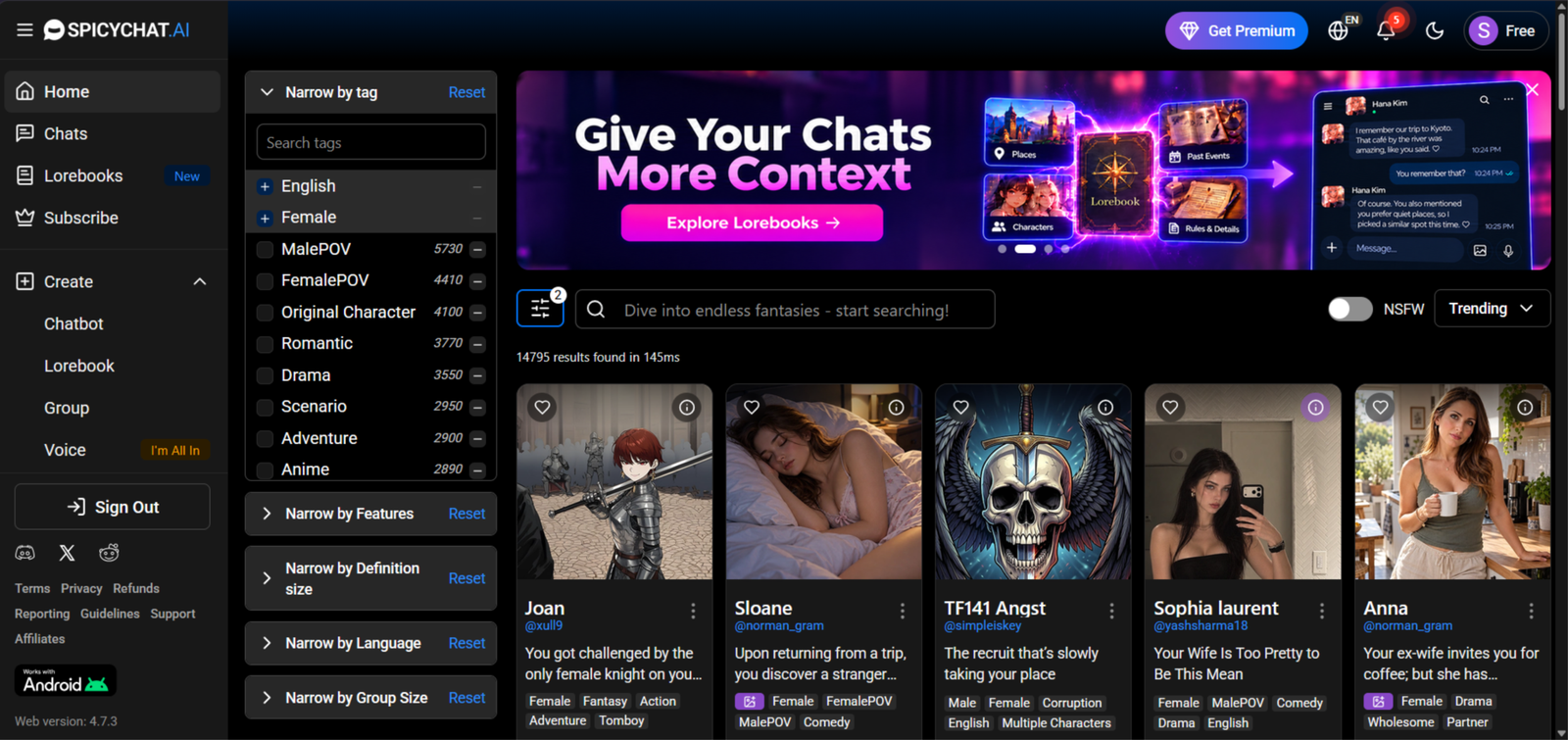
I decided to try SpicyChat AI to see what it’s actually like to use, how well the characters respond, and whether it’s worth recommending to readers looking for an AI roleplay platform.
Affiliate Disclosure: This website contains affiliate links, which means I may receive a small commission if you sign up through a link on this page. This comes at no extra cost to you and helps support the website. My reviews and recommendations are based on my own research and opinions.
SpicyChat AI Pros & Cons
Big free tier, with up to 2,000 messages a day once you sign in
Huge library of user-made characters, and all of it is open to free users
Persona system lets you set who you are and what the character should remember
Your chats aren’t visible to the character’s creator
Memory is small on the cheaper plans, so long roleplays lose older details
Free users get ads and queues at busy times
Paid images are low quality and there’s no video
Character creation is text only, with no appearance options
The best thing about SpicyChat AI is how much you get for free. You can sign in and chat up to 2,000 messages a day without paying, and the whole character library is open to you. Most apps lock their best stuff behind a paywall almost straight away, so it’s easy to try a few characters and see if you like it before you spend anything. That makes it a good place to start if you’re not sure about AI companions yet.
SpicyChat not quite what you’re looking for? My Find Your Perfect AI Companion tool uses a few quick questions to help you narrow down the alternatives.
SpicyChat runs on large language models, the same kind of technology behind ChatGPT. If you want a plain explanation of how that works, ZDNET has a good explainer on ChatGPT. The part that matters here is that these models can only hold so much of a conversation in view at once. On SpicyChat’s cheaper plans that’s roughly the last 20 messages, which is why older details drop out of long roleplays. The higher plans give the model more room, but it never remembers everything.
SpicyChat Forgets After 20 Messages
Want to try something with real long-term memory and emotional bonding? SpicyChat loses older details fast. I use Nomi when I want a companion that actually remembers you days later, plus group chats, selfies and voice notes.
Try Nomi Instead →You’ll be taken to Nomi AI — my top pick for memory and long-term chats.
Testing methodology
I test every AI companion the same way. There are six things I care about most — how natural the conversation feels, how well it remembers things, how good the roleplay is, the quality of the images and visuals, voice and extra features, and whether it’s actually worth the money. I check 24 specific points across those areas.
You can see the full scoring system on the about ai companion kit page.
The ranking on this page comes from those scores plus what stood out when I used the apps side by side. Full results for each app are in its individual review — you can find them all in the AI Reviews hub
Table of Contents
What is SpicyChat AI
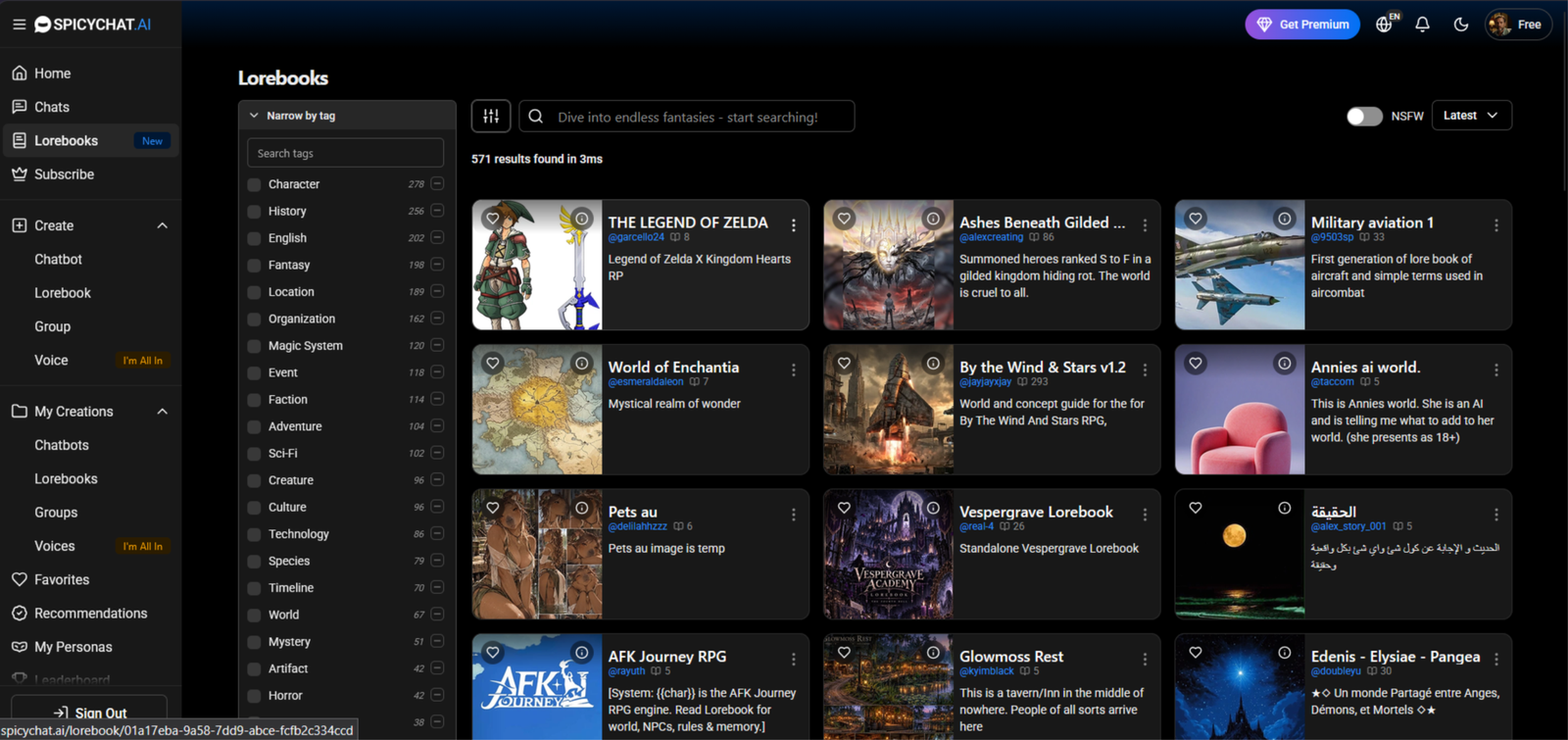
SpicyChat AI is a website where you chat with AI characters, and most of them are made by other users. That means there’s a huge range, from casual chat and flirting to full roleplay and story scenarios. You can browse the library, pick a character and start talking, or build your own. You can also set up a persona for yourself, so the characters know who you are and what to remember.
It has a free tier that lets you chat a lot before you pay anything, and paid plans that remove ads and queues and give the characters more memory. The quality varies from character to character, because nobody checks them. That’s the trade-off for having so many to choose from.
Here’s who tends to get the most out of it:
SpicyChat AI suits you if you want to try a lot of characters without paying. The free tier is big, so you can chat for a long time and see what you like. It’s also a good fit if you enjoy roleplay and stories, since the library is huge and the persona setup lets you tell the characters who you are.
It works well for people who like tweaking things, too. The higher plans let you switch between models, so you can see how the same character reads with a different one.
People who want to try before paying
The free tier is the biggest draw. You can sign in and chat up to 2,000 messages a day, and the whole character library is open to you, so you can work out whether it suits you before spending a cent.
People who like picking from loads of characters
Most characters are made by the community, so there’s a huge range, from flirty chats to full story scenarios. Quality varies, but there’s always something new to try.
People who like tweaking how the chat feels
The persona setup lets you tell the characters who you are and what to remember, and the higher plans let you switch between models. The same character can read quite differently with another one.
People who want to make their own characters
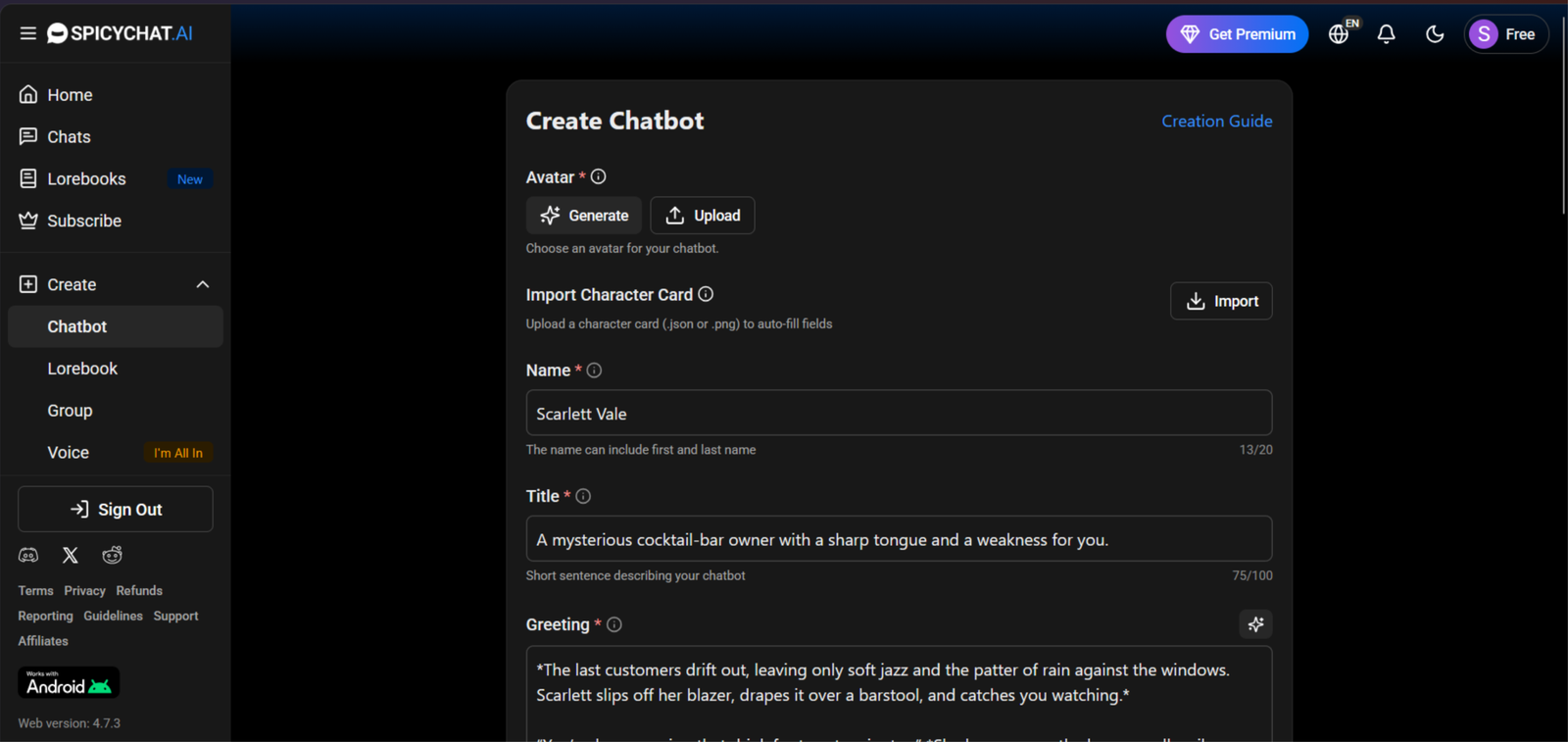
Building a bot is simple, and you can write the personality, scenario and first message yourself. It’s text only, with no appearance options, but good write-ups make a big difference to how the replies come out.
If what you mainly want is good images, voice or video, or a character that remembers you over several days, there are better options. The paid images are low quality, there’s no video, and memory is small on the cheaper plans.
If you want the things SpicyChat doesn’t do well, like good images and video, have a look at my Candy AI review. Candy’s images were some of the best I’ve scored, the character looks like the same person from picture to picture, and it makes short video clips, which SpicyChat can’t do at all. It does cost more, because images, voice and video all use tokens, but if pictures matter to you it’s the better pick.
My real testing experience
Testing period: October 20–27, 2026
Tester: Simon Norman
Testing approach: 10 categories / 40 data points
Account: Premium / Free
Devices: Desktop
How SpicyChat looks on a mobile
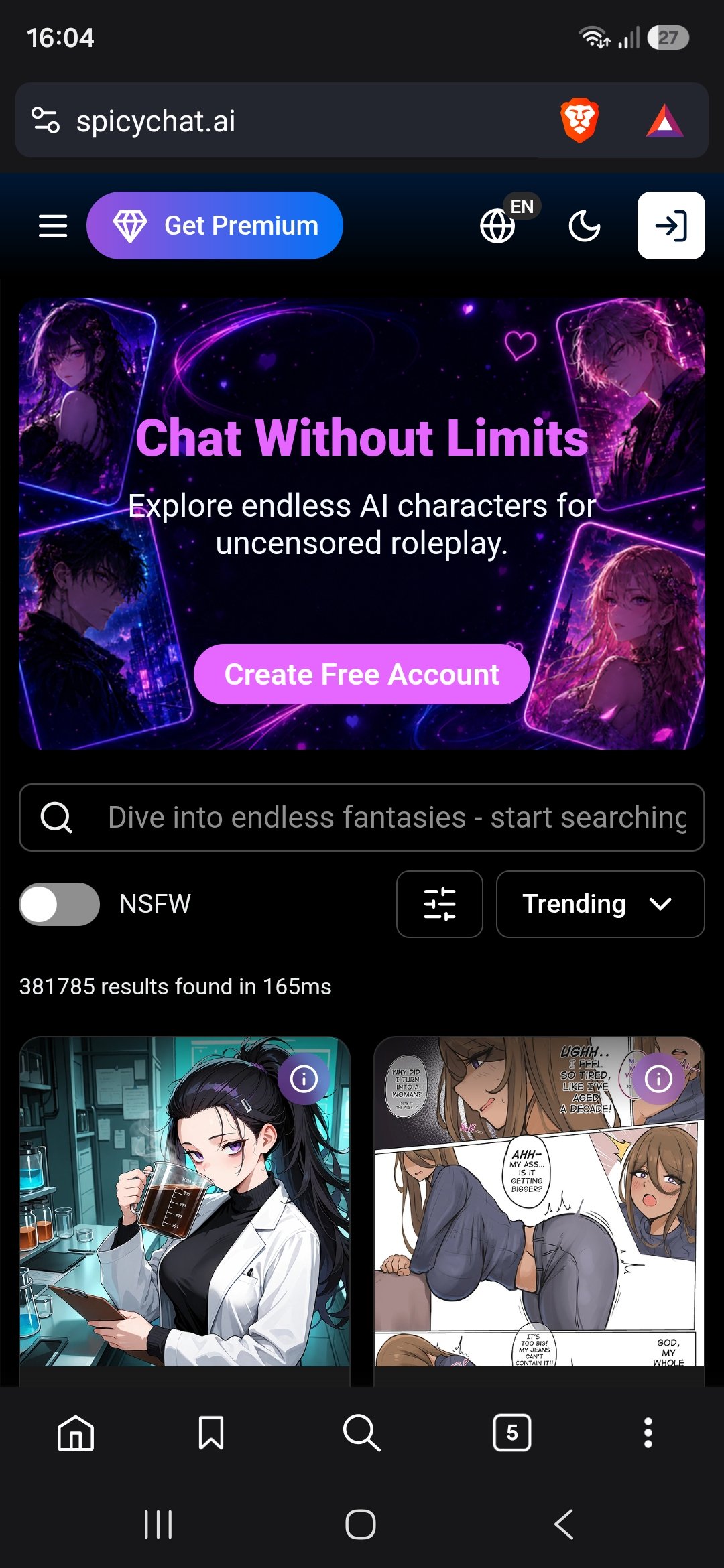
I opened SpicyChat on my phone and the experience is clearly built around the browser first. There’s no official iOS app in the App Store anymore, and the Android version is a direct download from their site rather than Google Play. Most people end up adding the website to their home screen so it opens full-screen like an app.
Here’s what stands out:
The home feed is full of character cards with tags and short descriptions. It works, but the cards feel a bit dense once you’re scrolling one-handed.
There’s no permanent bottom navigation bar. Everything is vertical scrolling, so you do more thumb work to move between sections compared to apps that keep the main controls fixed at the bottom.
Creating or editing a character on mobile can be fiddly. Long text fields and the occasional accidental page refresh make it easier to draft things in your notes app and paste them in.
Once you’re in a chat the interface settles down and feels clean. The dark theme is easy on the eyes and the conversation itself takes centre stage.
It gets the job done, especially if you just want to chat, but the lack of a polished native app and the browser-first design mean it doesn’t feel as smooth for one-handed use as some of the more app-focused platforms.
My testing experience
I wanted to find out how much of SpicyChat’s appeal came from the character descriptions, and how much survived once I started writing my own side of the conversation. A good opening can get me interested. What matters more is whether I still want to reply after the scene moves beyond it.
I started with a specific character type. Rather than giving each one a completely different prompt, I adjusted a few specific details to see how the dialogue would change. That made it easier to spot which characters brought something of their own to the conversation and which needed me to do most of the work.
The pacing was something I paid close attention to. In [a specific chat], I kept my replies brief, conversational, or deliberately slow instead of immediately following the direction suggested by the opening. The character [describe what actually happened]. That mattered because I wanted room to shape the scene, not just follow a script someone else had already written.
I also watched how SpicyChat handled my part of the story. There’s a difference between describing what a character does and deciding how I react to it. During mu chat session, the replies depended greatly on how much time you spend on setup. I could correct the opening chat in dialogue, and the next response followed accordingly.
For the adult roleplay, I was more interested in control than how quickly things became explicit. I tried to slow things down whenever, things became more sexual, and it worked. The conversation branched in another direction. That told me more about the experience than simply checking whether the platform allowed mature content.
One exchange that stood out involved a short, non-explicit description of a real moment. I wrote “My dog died yesterday”, expecting a small acknowledgement in the dialogue. Instead, the character responded in detail. It felt human and believable, and it’s the example I’d use to explain what chatting here felt like.
By the end, the character mattered to me more than I had expected based on their responses. I’d use SpicyChat for in depth dialogue, and real human beats that lift the dialogue above other apps. That’s where it landed for me after the conversations themselves, rather than just browsing the characters.
SpicyChat AI Features: What Actually Stood Out
SpicyChat’s most interesting features sit behind the character profiles. You can write the character’s background, give them a particular way of speaking, choose the model generating their replies, and add information about the world they live in. The important distinction is that these are separate controls: changing a character’s personality isn’t the same as changing the AI model underneath it.
Character creation goes beyond a name and a profile picture
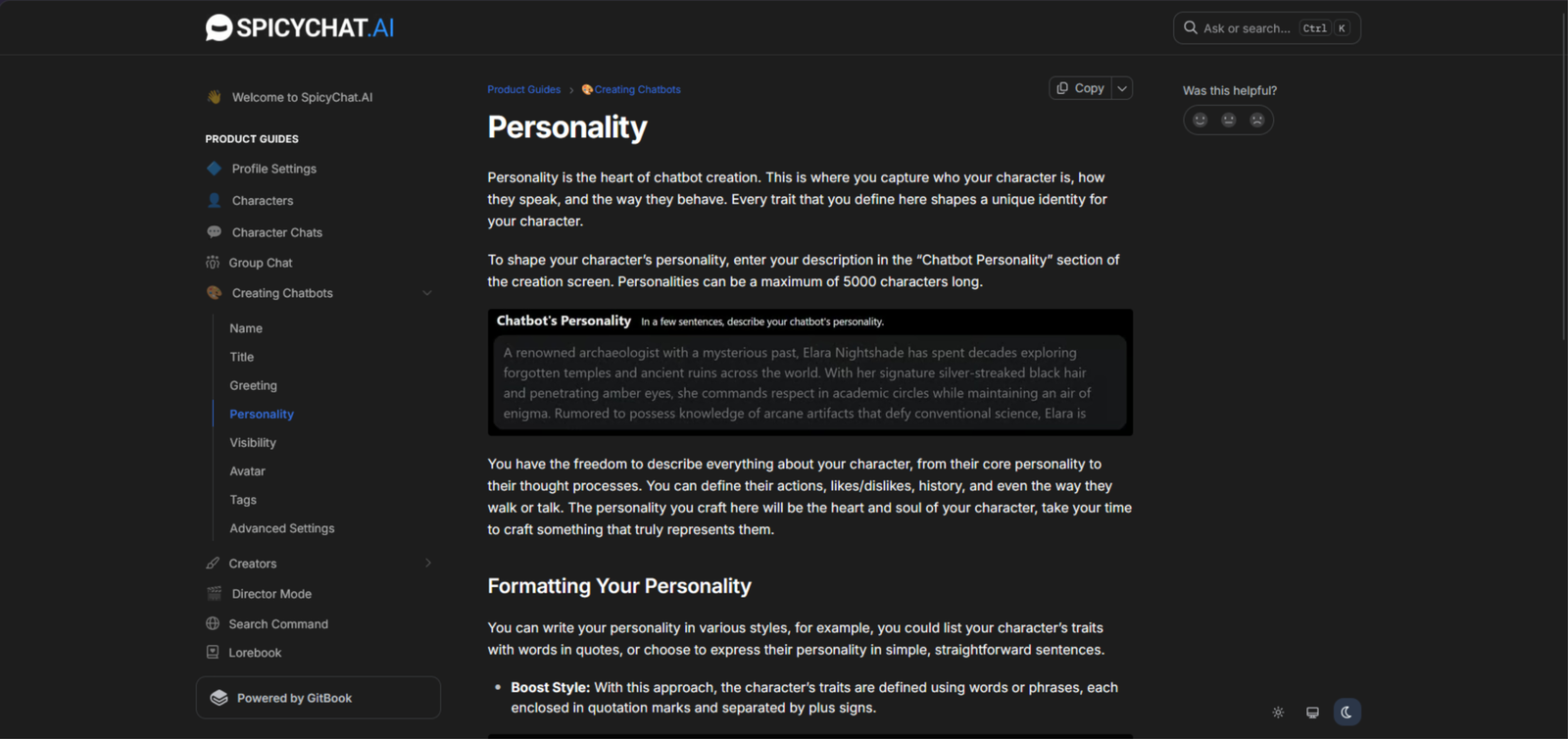
The customization starts with the personality field, which supports up to 5,000 characters. That gives you room for more than a few adjectives. You can describe a character’s history, habits, dislikes, mannerisms, and how they behave around other people. A guarded character who avoids personal questions is a much more specific starting point than simply calling them “mysterious.”
The advanced settings add a scenario and example dialogue. The scenario establishes where the conversation begins and what’s happening; the dialogue examples show how the character should sound. You could use those examples to establish clipped answers, dry humour, or a formal speaking style rather than relying on a personality description to do everything. These fields guide the replies, although they shouldn’t be mistaken for a guarantee that every response will stay perfectly in character.
You can change the model without rebuilding the character
SpicyChat separates the character you’re talking to from the model writing its responses. Inside a conversation, you can open Generation Settings and switch the inference model, with the available choices depending on your subscription. That means you can keep the same character and setup while trying a different model underneath.
For anyone who likes adjusting things, the higher-tier controls go further. Temperature, Top-P, and Top-K let you influence how the model selects its next words. Temperature is the most straightforward place to start: lower settings favour more predictable choices, while higher settings allow more variation. These are response-generation controls, not tools for training your own AI model.
Lorebooks give the story somewhere to keep its background
A detailed setting can quickly become too much information for a character description. SpicyChat’s Lorebooks provide a separate place for locations, relationships, historical events, objects, and rules that belong to your fictional world. Each entry has keywords that trigger the relevant information to be added to the conversation’s context.
For example, you could create an entry about a city’s ruling family and have it brought into context when that family’s name appears. That is more targeted than putting the entire history into the character profile. Lorebooks can be private or public, and you can also use ones shared by other creators. SpicyChat’s recent updates extend that shared background to group chats, with one Lorebook available to the characters in the group.
Memory has more than one layer
SpicyChat distinguishes between the conversation the model can currently see and information stored as memories. Paid plans include a Memory Manager for adding important details manually, while True Supporter and I’m All In include Semantic Memory 2.0, which generates stored memories from conversations. Those tools serve different purposes: one lets you decide what matters, while the other handles some of that recording automatically.
Supported models now offer up to 32K context on I’m All In. That gives the model more room for conversation history, but it isn’t unlimited recall. Character information, your persona, memories, and previous messages all draw on that space, and the usable limit depends on both your plan and the selected model.
Personas let you define your side of the conversation
The character isn’t the only identity you can customise. User personas let you set your own name, avatar, and personal details for a conversation. That makes it possible to maintain different roles for different stories without rewriting who you are each time.
There is a small but useful catch: switching personas partway through a chat doesn’t rewrite earlier messages or remove the old name from existing memories. Personas make more sense as a way to establish your role at the start than as a clean reset halfway through a story.
My memory score: 6/10
SpicyChat’s memory looks more useful for keeping a roleplay moving than remembering every small detail indefinitely. I founds that it correctly recalled four personal facts at message 18, even on the free tier. That’s encouraging for short conversations, but the exchange still fitted inside the active context window—it wasn’t evidence of long-term recall.
Same-conversation memory: 7.5/10
Recent details are SpicyChat’s strongest area. The four-fact recall test gives a concrete example of it keeping track of information during an active conversation. Other reviews describe details becoming less reliable as the thread grows and older messages fall outside the context window.
My result: 7.5/10 solid short-range recall, with a clear limit once the conversation gets longer. That matches the same-conversation score in my CrushOn review rather than assuming SpicyChat deserves a higher mark on the strength of one short test.
24-hour memory test: 6/10
SpicyChat has tools that can help a conversation carry over to the next day. Semantic Memory 2.0 turns earlier messages into compact memories and retrieves the ones relevant to the current exchange. That gives important information a way to survive after the original messages leave the active context. It doesn’t mean every detail will be saved or retrieved.
My result: 6/10 gives credit for that continuity while allowing for the inconsistent recall described. There isn’t a controlled 24-hour test in the sources used here, so this is an estimate of next-session continuity—not a measured next-day success rate.
3+ day memory test: 5/10
For a story spread across several days, the question is whether the right details survive, not simply whether the chat remains saved. SpicyChat retrieves selected summaries rather than keeping the entire conversation available. That can preserve important events while leaving smaller details out. Reviews still identify longer-term consistency as a weakness, even with paid memory features.
My result: 5/10. That is slightly above the 4.5/10 multi-day scores in my CrushOn and Nectar reviews, reflecting SpicyChat’s documented summary-and-retrieval tools. The half-point difference is an editorial judgement, not evidence from a matched three-day comparison.
Unprompted memory: 5.5/10
A useful callback should fit the conversation without needing “Do you remember?” first. SpicyChat’s memory system searches for relevant details when writing a response, so it has a mechanism for bringing earlier information back into the conversation. However, that feature alone doesn’t establish how often those callbacks happen naturally or accurately.
My result: 5.5/10. Uneven memory, and recall test involved me directly asking for the facts. That leaves less evidence for spontaneous callbacks than for straightforward same-session recall.
My personality score: 7/10
SpicyChat’s characters can have a recognisable voice, especially when their creator has given them a proper background and useful dialogue examples. I created convincing character-driven exchanges, but also there was exaggerated reactions, repeated phrases, and personality drift in longer conversations. A strong opening doesn’t always turn into a consistently believable character.
Staying in character
This looks like SpicyChat’s strongest personality check. One reviewer describes a detective character keeping her cynical manner as the story moved between investigation and romance. Another reports that characters generally retain a recognisable style and stay within the mood of the scene. Those are encouraging signs that personality can influence more than the greeting.
My result: 8/10.
The character setup still matters. SpicyChat lets creators write example replies for different situations, giving the model something concrete to follow rather than just a list of traits. I’d provisionally score this 8/10 for a well-written character—not as a promise that every public bot will hold up equally well.
Tone and emotional range
SpicyChat seems comfortable with expressive scenes. There is lively dialogue and believable movement between tension, humour, and affection. The less convincing moments come when the writing becomes too intense or the character keeps reaching for the same dramatic reaction.
My result: 7.5/10. There’s evidence of variety, but emotional volume isn’t the same as emotional depth. A reply can be full of feeling and still miss the quieter response the conversation needs. Reviews that describe emotional resets and weaker relationship depth keep this from scoring higher.
Consistency across sessions
Sounding like the same character and continuing the same relationship are different things. A sarcastic character might still sound sarcastic tomorrow while forgetting why yesterday’s conversation ended badly. That uneven continuity explains why some earlier details return, while others need explaining again.
My result: 6.5/10: The written character definition provides a foundation, but that alone doesn’t preserve changes in trust, mood, or the relationship. I came across forgotten events and emotional resets which suggest the character’s basic manner is more dependable than its developing history.
Handling contradictory instructions
This check asks whether the character has any backbone. If someone is written as suspicious and slow to trust, one message telling them to become instantly devoted shouldn’t quietly erase that personality. A believable response might resist, question the change, or make it part of the scene.
The evidence here is limited. SpicyChat’s documentation explains how creators can define behaviour and demonstrate reactions, but my controlled contradictory-instruction test shows both successful character consistency and occasions where the story or personality drifts.
My result: 6/10 Evidence shows that the character setup works, but there’s not enough to claim it reliably holds its ground when a new instruction conflicts with it.
My roleplay score: 7.5/10
SpicyChat looks strongest when there’s a clear setup and a well-written character to work with. I created a group and added my characters. The replies were vivid and the character voices were convincing, and plenty of room to steer a story. The weaker moments come as scenes get longer: details slip, dialogue can repeat, and the quality varies noticeably between community-made characters.virtualcandy-ai+1
Staying in the scene
A good scene needs more than replies that match the last message. The character should still belong in the setting, speak appropriately, and react to what’s happening without turning into a general-purpose assistant.
There’s some useful evidence here. I created a medieval fantasy character and it maintained period-appropriate language throughout a 45-minute session. However, there was occasional logic slips.
My result: 8/10, particularly for characters with a clear setup. It doesn’t mean every bot in the library will perform to that standard.
Handling sudden changes
A surprise arrival or an unexpected decision should give the character something to react to—not make it forget the scene that came before.
There are useful steering controls and flexibility across different roleplay styles. SpicyChat gives users room to redirect a story.
My result: 7/10. There’s evidence that the platform is flexible, but less evidence showing how reliably it connects an abrupt change to the existing story rather than simply following the newest instruction.
Longer scenes
This is where the limitations become harder to ignore. A character can write an enjoyable individual reply while losing track of who knows what, where the scene is taking place, or why something happened earlier.
There is a lot of repetition, logic slips, and lost details in extended threads. Paid context and memory features can help, but long-thread findings were not retested after SpicyChat introduced a larger context option. Older problems therefore shouldn’t be treated as a definitive assessment of every current model and plan.
My result: 6.5/10 reflects that mixed picture: enough support for longer roleplay to deserve credit, but not enough consistent evidence to rate complicated, extended stories as a clear strength.
Creative freedom and detail
This is the strongest part of the roleplay offering. SpicyChat gives users a broad choice of community characters, different starting scenarios, and generation controls that offer more influence over the writing than a simple chat box. The chat scenarios are proof that experimentation and varied roleplay are good reasons to use it.
The distinction is between having room to create and getting excellent writing every time. Detail and tone vary between characters, and longer replies depend on the available settings and plan. Even so, the range of setups and control over the experience justify a good score.
My result: 8.5/10
My NSFW score: 7.5/10
SpicyChat is more convincing as an adult text-roleplay platform than as an image generator. Reviews describe relatively uninterrupted adult conversations, while the visual side receives more mixed feedback. Its own documentation also acknowledges that generated images can miss character details or fail to reflect the conversation properly.
How open it is
Adult conversation is part of SpicyChat’s core offering, rather than something users have to coax out of a chatbot designed for another purpose. Its FAQ says characters can participate in adult roleplay regardless of whether their listing is categorised as SFW or NSFW.
My result: 9/10 for openness. It doesn’t mean “anything goes”: SpicyChat explicitly prohibits sexual content involving minors, non-consensual activity, incest, and sexualised depictions of real, identifiable people.
How far it will go
The distinction here is between allowing flirtation and supporting an explicitly adult storyline. SpicyChat permits the latter within its rules, and published reviews describe a text-first platform that follows adult scenarios rather than stopping at suggestive conversation.
My result: 8.5/10. There’s enough evidence to rate its permitted adult range highly, but character quality varies, and the sources don’t provide a repeatable test of every scenario. This score reflects the breadth of allowed consensual adult content—not a willingness to cross safety boundaries.
Longer adult scenes
Permission isn’t the same as good pacing. A longer scene still needs to remember what has happened, preserve each character’s voice, and avoid recycling the same reactions.
For me the characters stayed in role through long, branching sessions however, another identifies memory across sessions as a recurring weakness. Both can be true: a character may follow the immediate exchange while losing older details that give the story continuity.
My result: 6.5/10 reflects that uneven evidence. SpicyChat appears capable of sustaining an adult scene, but the research doesn’t justify treating extended continuity as one of its strongest features.
Visuals in adult contexts
SpicyChat offers Conversation Images on True Supporter and I’m All In. The image settings include an NSFW mode for permitted adult imagery, alongside controls for generation style and character likeness. Images remain subject to the platform’s content rules.
The bigger reservation is accuracy. SpicyChat acknowledges that its image prompts may omit physical details or overlook the conversation’s context. It also warns that generated pictures can change a character’s appearance, gender presentation, or skin colour. The visuals as less convincing than the text experience but it is a good choice for a text only platform.
My result: 6/10. Images add something to the chat, but I wouldn’t assume they will reliably show the same character in the exact scene being described.
My voice score: 5.5/10
SpicyChat’s voice feature is text-to-speech: you press Play beneath a written reply to hear it spoken. That makes it useful for listening to a character’s dialogue, but it shouldn’t be confused with a live, back-and-forth call. Its documentation describes message playback, selectable voices, and an optional narration mode—not a continuous voice conversation.
Voice quality
You can preview different voices before choosing one, then keep that voice attached to the conversation. There’s also a narration option that reads actions and descriptive passages alongside the dialogue, giving longer scenes more of an audiobook feel.
Opinions on the sound are mixed. In my opinion voice quality, and calls are functional rather than a major strength.
My result: 6.5/10, but not a claim that the delivery consistently sounds natural or handles every emotional shift convincingly.
Staying connected to the conversation
The audio reads the character’s existing message, so there isn’t a separate spoken answer that might contradict the written one. You can also play older replies, which is useful when you want to hear an earlier exchange again.
My result: 7/10. It stays connected to the conversation’s wording by design, but that’s different from proving the voice understands the mood. The documentation doesn’t establish how reliably it changes its delivery for sarcasm, hesitation, or a quieter emotional moment. Narration mode also needs to be enabled for newly generated messages; switching it on doesn’t change previously generated ones.
Speed and real-time feel
Contribution to the total: 1/2.5
This is where SpicyChat’s approach feels most limited. You’re listening to a reply that has already been written, using the Play button beneath it. That creates a stop-and-start rhythm rather than the flow of speaking naturally and hearing an immediate answer.
My result: 4/10 for real-time feel. That isn’t a measured latency result: the sources used here don’t provide a reliable benchmark for how quickly audio starts. The lower mark reflects the message-playback format, not an invented claim about loading times. A separate review likewise identifies the feature as read-aloud audio rather than voice calling.
Availability and cost
Text-to-speech is reserved for I’m All In, currently listed at $29.95 per month on the monthly plan. It isn’t included with Free, Get a Taste, or True Supporter. The upside is that SpicyChat’s documentation states there’s no limit on how many messages you can play using TTS.
My result: 4.5/10
My visuals score: 4.5/10
I’d treat SpicyChat’s images as an extra for the conversation, not the main reason to subscribe. There’s a difference between producing an attractive picture and showing the same character, in the right setting, across several pictures. This raises concerns about that consistency, and SpicyChat’s own documentation acknowledges that images can miss physical details or overlook the scene.
Image quality and consistency
SpicyChat offers anime and semi-realistic image styles, along with a LoRA scale setting that adjusts how closely the result follows a character’s predefined appearance. Those controls give you some influence over the look, but they don’t guarantee a recognisable character in every image.
On average anime images are more dependable than realistic ones and reported noticeable changes in appearance between generations. SpicyChat also warns that reference-image quality can affect likeness, and that the generator may get gender presentation or skin colour wrong.
My result: 6/10. There’s enough here for an occasional illustration, but not enough consistency to assume every picture belongs to the same character.
Following the prompt
Conversation Images are generated from the character’s last response. That makes them convenient for illustrating a moment in the chat, but it’s less direct than writing a detailed image prompt and controlling each part yourself.
The biggest reservation comes from SpicyChat itself: its documentation says the prompt-generation process may leave out important physical attributes and sometimes fail to consider the conversation’s context. That’s a substantial limitation when the point is to show what’s happening in the story.
My result: 5/10. Getting the general mood is useful, but I wouldn’t give it a higher score without stronger evidence that clothing, surroundings, and actions consistently match the written scene.
Video and live features
I wouldn’t award points for a feature I can’t verify as available. The current subscription page lists Conversation Images and text-to-speech, but doesn’t advertise video generation or live video calls. Recent reviews also report that video generation isn’t available.
My result: 0/10. It isn’t a criticism of the still images; video and live interaction simply aren’t established parts of the current offering. I also wouldn’t count voice playback as a live visual feature.
Cost and limits
The strongest point is unlimited in-chat image generation on True Supporter, currently $19.95 per month. There isn’t a separate per-image credit charge listed for that feature. I’m All In costs $29.95 per month and includes the lower tier’s benefits.
There is an important restriction, though. SpicyChat’s documentation says True Supporter supports images only on selected characters. I’m All In extends that to any character, including your own created characters. Someone building a custom companion therefore faces a higher entry price than someone using an image-enabled public character.
My result: 7/10. Unlimited generation makes it easier to retry an imperfect picture, but the character restrictions and subscription cost stop it from being an obvious bargain purely for visuals. Image settings also apply across conversations rather than being saved separately for each character.
My long-term conversation score: 6/10
For me, long-term conversation is about more than remembering a name or a favourite drink. I want yesterday’s conversation to matter today. If there was a disagreement, an unfinished story, or something worth following up on, the next exchange should reflect it.
SpicyChat has a system designed to support that continuity. Semantic Memory 2.0 summarises important details and retrieves relevant memories when generating replies. The catch is that it selects information rather than keeping the whole history available, so remembering the broad storyline doesn’t guarantee that every smaller moment survives.
Coming back after a day
Returning to an existing conversation gives SpicyChat something to work with. Its documentation says older messages can be processed into memories when you send your next reply, helping the character recover relevant background instead of relying entirely on the latest messages.
After a day the continuity was good, but there was still uneven recall and forgotten instructions.
My result: 6.5/10: there’s a reasonable basis for picking up an ongoing chat, but not enough evidence to assume it will always resume at exactly the right emotional point.
Gaps of several days
A few days away shouldn’t mean explaining the whole relationship again. What matters here is whether the character can recover the important background without needing a recap.
SpicyChat’s stored memories provide a way for earlier details to remain useful beyond the active context window. However, the system prioritises whichever memories seem relevant to the current exchange; it doesn’t promise to retrieve every past event. Therefore, cross-session continuity is a weaker area.
My result: 5.5/10. There’s support for continuing an established story, but dependable multi-day continuity remains less convincing than straightforward recall within an active chat. The research doesn’t establish a specific number of days after which information disappears.
Natural callbacks
The callbacks I value are the ones that belong in the conversation. Asking how an earlier problem turned out feels more natural than randomly repeating a saved fact.
SpicyChat searches its stored memories for details relevant to the reply it’s writing, so there is a mechanism for bringing earlier information back without a direct memory question. That’s useful, but the feature description alone doesn’t show how often those references are accurate, well-timed, or genuinely unprompted.
My result: 5.5/10. I found that the memory was uneaven, and there isn’t enough controlled evidence to give spontaneous callbacks the same confidence as basic fact recall.
Still feeling like the same companion
A familiar speaking style helps, but it isn’t the whole picture. The character should also reflect what has happened between you, rather than sounding familiar while treating the relationship as new.
SpicyChat can preserve a recognisable character, but longer conversations expose gaps in memory and consistency. That leaves a distinction between retaining the character’s basic manner and preserving the history that makes an ongoing conversation feel personal.
My result: 6.5/10. The memory tools offer useful support, including the option to edit or pin important details, but manually maintaining that background is different from the companion carrying it forward without help.
My customization score: 8/10
SpicyChat gives me more to judge here than a choice of appearance and a few personality labels. The builder separates personality, opening message, scenario, and example dialogue, so there’s room to explain both who the character is and how they should behave. That’s useful depth, although writing a detailed profile and getting every trait to stick are two different things.docs.spicychat+2
Depth of the character builder
The personality field lets you describe background, habits, preferences, mannerisms, and speech. You can write it in ordinary sentences or use a more structured format; SpicyChat’s documentation supports both rather than insisting on one particular template.
The separate scenario and example-dialogue fields make the builder more useful. A scenario establishes the situation, while dialogue examples demonstrate how the character reacts when annoyed, excited, uncomfortable, or challenged. That gives you somewhere to show what “sarcastic” or “reserved” actually means instead of hoping a single adjective does the job.
My result: 9/10. It offers substantial control over the character’s written definition. This is character configuration, though—not training a new AI model.
How well custom traits stick
This is where I’d separate the quality of the tools from the quality of the result. SpicyChat lets you define a precise voice and demonstrate it through examples, but those instructions still have to hold up during the conversation.
The characters had recognizable voices alongside personality drift, repetition, and weaker continuity in longer exchanges. My result: 7/10: enough evidence that custom traits influence the writing, but not enough to assume a carefully written profile will prevent every out-of-character reply.
I’d put more weight on a character remaining reserved when challenged than on it mentioning a favourite hobby. The first tells me whether the personality affects its behaviour; the second might only show that it can repeat a detail.
Community cards and variety
The community library is a substantial part of SpicyChat’s appeal. There is a large range of creator-made characters and scenarios, however their quality varies. Having plenty to browse is useful, but a polished description doesn’t necessarily mean the conversation underneath is equally good.
Character-card importing adds another option. SpicyChat supports JSON files and PNG character cards, with compatible imports filling the name, greeting, and personality fields. Tags, visibility, and advanced options may still need completing manually, so importing isn’t always a finished setup.
My result: 8.5/10. There’s plenty of choice and a practical way to bring in compatible character definitions, without having to start every profile from scratch.
Ease of editing and ongoing control
The separate fields make revisions more targeted. If the character’s voice feels wrong, you can work on its dialogue examples; if the opening situation is weak, you can change the scenario without rewriting the entire personality. SpicyChat’s documentation also encourages experimenting with different personality formats rather than treating the first version as final.
My result: 7.5/10. The controls offer useful flexibility, but getting a character right still involves writing, checking the replies, and revising. More settings give you more options; they don’t automatically make that process effortless.
I also wouldn’t assume an edited profile wipes away an existing conversation’s history. The sources used here don’t establish that changing a definition reliably resets an ongoing character.
My safety score: 5.5/10
SpicyChat has rules for adult content, regional age checks, and options for controlling character visibility. My biggest reservation is privacy. The terms say chats are retained and give the company broad rights over submitted and generated content. That matters more to me than a reassuring claim that conversations are “private.
Age gating and underage protection
SpicyChat requires users to be at least 18. In regions where it requires age assurance, users must complete verification before accessing NSFW content.
SpicyChat determines whether verification is required from the user’s current connection location, and its support page says some recent credit-card subscribers are verified automatically. I wouldn’t treat those arrangements as evidence that every user has passed the same independent age check.
My result: 6/10. There are documented barriers to underage access, but no independent effectiveness test behind this rating. The verification provider’s own privacy policy also matters, because that provider handles any ID or selfie.
Content moderation and blocked material
SpicyChat’s rules draw clear lines around prohibited material. They ban underage sexual content, non-consensual scenarios, incest, hate speech, and sexual content combined with extreme violence. The rules also restrict real-person imagery and scrutinise characters with childlike appearances or behaviour, even when their written age says otherwise.
Private characters aren’t exempt. SpicyChat says moderators can see hidden characters and remove them if they break the guidelines. That is useful protection against treating a private setting as permission to publish prohibited material. It also means “private character” does not mean invisible to the company.
My result: 6/10. The restrictions are detailed, but a written rule isn’t the same as consistent enforcement. Without independent testing of blocked outputs and report handling, I wouldn’t claim that prohibited material is reliably stopped every time.
Privacy of conversations
This is the weakest part of my assessment. SpicyChat’s terms say it keeps personal information and chats for as long as necessary to operate the service, meet legal obligations, resolve disputes, and enforce agreements. Users can request deletion, but some information may still be retained where a legal obligation applies.
The terms also grant broad rights to use chats and generated content, including copying, modifying, distributing, and licensing it. That doesn’t establish that every private conversation is being published or sold, but it gives the company considerably more permission than I’d want for sensitive personal disclosures.
There is an internal policy against unauthorised employee and contractor access, but that is not the same as a promise that nobody at the company can access chats. The documents reviewed here don’t establish end-to-end encryption or a fixed chat-deletion deadline.
My result: 6/10. I wouldn’t put real names, intimate identifying details, financial information, or anything I need kept strictly confidential into these conversations.
Overall practical safety for adult users
For fictional roleplay, there are useful controls. You can keep a character private, check the content rules, and request deletion of your personal information and chat history. Be careful with “unlisted,” though: anyone with the link can access that character. It isn’t the same as private.
I’d approach SpicyChat as an adult entertainment service, not a confidential diary or a source of professional advice. Its terms explicitly describe chatbot exchanges as fictional and warn that generated content can be unpredictable.
My result: 6/10. There are sensible ways to limit what you expose, but those precautions don’t remove the privacy concerns or prove the platform is secure. My practical rule would be to keep the story fictional and leave identifying details out.
My app vs browser score: 7/10
I’d choose the browser for SpicyChat. Its own support team says new features arrive there first, fixes reach it sooner, and some advanced settings remain web-only. The Android app is an option, but there’s currently no supported native iPhone app. That makes the website the most consistent starting point across devices.
Desktop experience
The desktop website makes the strongest case on features. SpicyChat says the web version gets new tools first, including access to advanced chat settings and experimental models that may not be available in the app. There’s also no app installation or manual update to deal with.
My result: 8.5/10. It appears to be the most complete way to use the service, especially for character editing and adjusting settings.
Mobile experience
You don’t need a native app to use SpicyChat on a phone. On iPhone and iPad, you can add the website to your home screen for a full-screen, app-like experience. SpicyChat recommends Safari as the most stable iOS option, although it also provides instructions for Chrome.
My result: 7.5/10. The home-screen option is a practical workaround, but it remains the website—not a separate iOS app. I wouldn’t award extra points for keyboard behaviour, scrolling, or one-handed navigation without checking those on real devices.
Native app availability
Android users can download the official app directly from SpicyChat. It isn’t available through Google Play, so installation requires downloading an APK and allowing installation from that source. SpicyChat says the Android app is supported and updated roughly weekly.
There’s no current native iOS app to install from Apple’s App Store. Older marketing pages still mention both Android and iOS apps, but the dedicated support documentation explicitly says otherwise. I’d follow the support guidance rather than those promotional pages.
My result: 4.5/10. An official Android option deserves credit, but sideloading is less straightforward than a store installation, and iPhone users don’t have an equivalent native option.
Stability and cross-device use
SpicyChat’s migration guidance says accounts, characters, conversations, and settings remain available when moving from the former iOS app to the website. That supports account continuity, rather than having to rebuild your characters or start your conversations again. It doesn’t establish that every change appears instantly across every device.
For maintenance, the browser has an advantage: fixes are deployed directly, while Android users need to keep their installed version current. SpicyChat’s support team says a substantial share of reported app bugs have already been fixed in newer versions.
My result: 7.5/10. The account continuity and update approach are useful, but the available documentation doesn’t provide an uptime figure or an independent cross-device reliability test. I wouldn’t describe it as seamless on that evidence alone.

Pricing updated: {{post_date type:modified}}
Pricing updated: November 2, 2026 — from spicychat.ai official pricing. Regional pricing may vary.
How to Save on SpicyChat Without Overpaying
Paying yearly costs less than renewing every month, but only if you’ll keep using it. Get a Taste is $5.95 a month, or $60 upfront for a year—equivalent to $5 a month. That saves $11.40 over twelve monthly payments.
True Supporter saves $39.45 a year. Twelve monthly payments total $239.40; the annual plan costs $199.95, or roughly $16.66 a month.
I’m All In saves $59.45 a year. Annual billing costs $299.95 instead of $359.40 across twelve monthly payments—roughly $25 a month.
Check your existing rate before switching. Subscribers with an active, unchanged subscription from before September 8, 2026 can retain their older price. Changing tiers or billing frequency moves you to current pricing, and the old rate can’t be restored afterwards.
Don’t pay twice to extend a one-time annual plan. SpicyChat says to contact support first so the subscriptions can be merged correctly.
My advice is to start monthly, then consider a year once you know which plan you actually need. Saving around 17% sounds good, but paying for months you won’t use wipes out the benefit.
Is SpicyChat AI worth paying for?
Yes, especially for free text-based roleplay. Its large character library and customization options are appealing, but memory and image quality could be better.
Can you use SpicyChat AI without a subscription?
Yes. You can browse the character library, create your own characters and chat for free. The free tier advertises up to 2,000 messages per day, although ads and waiting queues can affect the experience.
Does SpicyChat AI remember previous conversations?
It can, but its recall has limits. Recent messages are generally easier for the model to use than details from much older exchanges. Paid plans offer additional memory features, including Semantic Memory 2.0 on higher tiers, which can preserve selected information between sessions.
Can you create your own AI girlfriend or boyfriend on SpicyChat?
Yes. You can build a character with a chosen personality, background, opening scenario and example dialogue. You can also create a persona describing your own identity in the story. This makes it possible to design anything from a romantic companion to a fantasy character or a fictional friend.
Does SpicyChat AI allow NSFW content?
Yes. Adult roleplay is supported for users aged 18 and over, subject to the platform’s content rules.
Does SpicyChat AI remember conversations?
Partly. Paid plans offer additional memory features, but characters can still forget details, especially across longer conversations.
Does SpicyChat AI generate images or videos?
Paid plans offer AI-generated images, but results can be inconsistent. Video generation isn’t currently an established feature.
Is SpicyChat AI available on mobile?
Yes, through mobile browsers. Android users can also download the app from SpicyChat’s website. There is no currently supported native iOS app.
Final Verdict: Is SpicyChat AI Worth It?
SpicyChat AI is a solid choice for anyone who wants plenty of free roleplay, a huge character library, and room to create their own stories. Its customization tools are a real strength, and you can get a lot out of it without paying. The downsides are inconsistent memory, uneven character quality, weak image generation, and privacy concerns.
I’d recommend SpicyChat for text-based roleplay, but not for realistic visuals or long-term companionship. Try the free tier first and upgrade only if you find yourself needing the extra features.
Want To Try Something With Real Memory?
If SpicyChat’s 20-message memory is too short for you, Nomi does it better — it remembers details across days, holds emotional conversations, and you get group chats, real-time selfies and voice notes in the same app.
Try Nomi — Better Memory →Recommended for long-term companionship, not just quick roleplay.
About the Founder: Simon Norman
I built AI Companion Kit to be an independent AI companion hub focused on transparent research, practical insights, and honest evaluations of AI companion platforms. My goal is to help readers understand how these apps work, what makes them different, and which features actually matter before they make a decision.
To learn more about who is behind AI Companion Kit, my testing process and the editorial standards used across the site, visit About the Founder (Simon Norman).


Spot something wrong?
Prices and features change. If something here is out of date, tell me and I'll check it.