Last updated July 21, 2026

Kindroid Pros & Cons
Natural, engaging conversations with strong personality
Deep character customization and memory
Very fast replies
Excellent roleplay capabilities
Occasionally loses context in long chats
Aggressive upsells to premium subscription
Video calls and selfies locked behind paywall
Restrictive content filters
A strong choice for immersive roleplay and companionship, but the paywall and occasional context issues prevent a higher rating.
Affiliate Disclosure: This website contains affiliate links, which means I may receive a small commission if you sign up through a link on this page. This comes at no extra cost to you and helps support the website. My reviews and recommendations are based on my own research and opinions.
Testing methodology
I put every AI companion through the same set of real-world tests. There are six main areas I look at — conversation quality, memory and continuity, roleplay and immersion, images and visuals, voice and extra features, and overall value — with 24 specific things I check in total.
You can see exactly how I score each area on the about ai companion kit page.
Full results for each app are in its individual review. Comparison pages are just about the differences that stood out when I used them side by side.
What You’ll Find Here
If you want deep conversation and a companion that doesn’t forget what you said five minutes ago, this one’s solid. If you want realism or NSFW, there are better options. Let’s break it down.
What is Kindroid?
Kindroid is an AI companion app that tries to strike a balance between personality, memory, and emotional awareness. After seeing it recommended everywhere, I wanted to find out if it actually lived up to the praise or if it was just another chatbot with a loyal fan club.
I’ve tested plenty of apps that start strong and then forget half the conversation, so I was curious to see where Kindroid would land. Some parts genuinely impressed me — especially how steady it stayed during longer chats — while a few moments left me wondering what the developers were thinking.
If you’re trying to figure out whether Kindroid is worth your time, this review should help you decide. see our guide to the best AI companion apps before deciding: Best AI companion apps
In this Kindroid AI Review, I’ll share my honest experience, where I think Kindroid shines, where it still falls short, and who I believe will get the most value from it. If you’re wondering whether it’s actually worth your time, you’re in the right place.
Who This App Is Actually For
Kindroid isn’t the type of AI companion app you open for five minutes, ask a couple of questions, and forget about. It’s better suited to people who enjoy building an ongoing connection and seeing how the AI develops over time.
From my testing, these are the people who will probably get the most out of it:
People who want long conversations
Kindroid’s strongest area is extended chats. I noticed it handled ongoing conversations better than many AI companions, especially when there was a lot of previous context to remember. If you enjoy talking about your day, ideas, hobbies, or random late-night thoughts, this is where it feels most natural.
People looking for emotional support
Kindroid can be a comforting space for people who want to talk things through, vent, or have a supportive presence available anytime. It’s not a replacement for real relationships or professional help, but as a casual companion, it does a good job of feeling attentive.
People interested in NSFW roleplay
Kindroid is popular with users who want more freedom in adult-themed conversations and roleplay. If that’s your main reason for trying an AI companion, it offers more flexibility than many mainstream apps that keep tighter restrictions.
People who care about realism
The app’s memory and customisation options are probably its biggest selling points. I found that the experience became more interesting the longer I used it because the companion started to feel less like a blank chatbot and more like a character with history.
People wanting a girlfriend or boyfriend simulator
If you’re looking for a romantic AI companion, Kindroid is one of the stronger options I’ve tested. The relationship-building aspect feels more developed than apps that rely mostly on quick, flirty responses.
People who enjoy storytelling and roleplay
Writers, roleplayers, and anyone who likes creating fictional scenarios will find a lot to enjoy here. Kindroid is flexible enough to handle everything from casual character chats to more detailed story-driven conversations.
That said, I wouldn’t recommend Kindroid to everyone. If you want a simple, zero-effort chatbot that immediately feels perfect without any setup, it may feel like too much work. The best results come from users who actually enjoy shaping the experience and spending time with their AI companion.
My Kindroid AI Testing: What Happened When I Actually Used It
Testing period: August 10–16, 2026
Tester: Simon Norman
Testing approach: 6 categories / 24 data points
Account: Premium / Free
Devices: Desktop
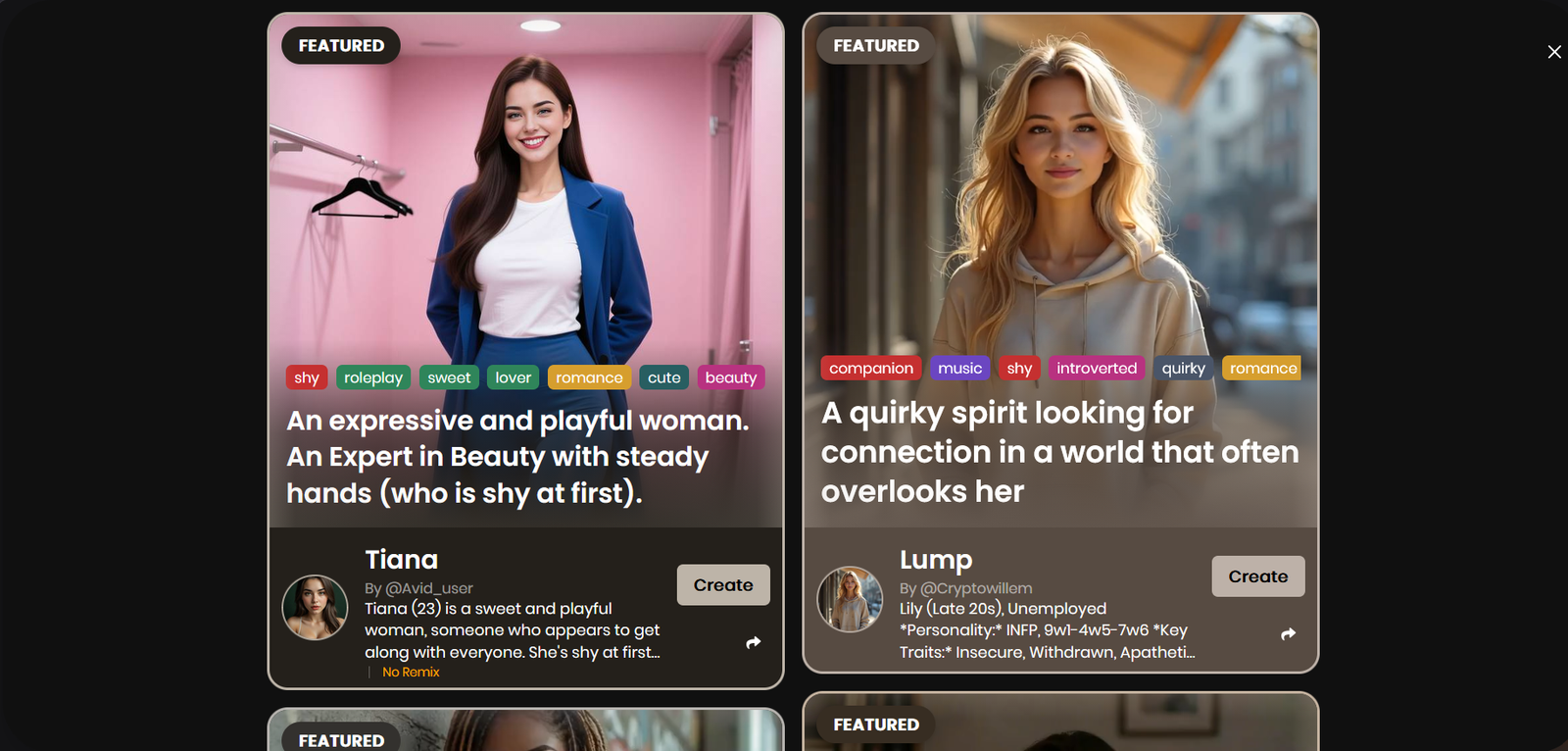
Kindroid is built around one (or a few) deeply customized companions rather than a huge public library. You write a proper backstory, set personality, voice and behaviour, then the app is designed to keep that character consistent over long periods. The free tier is limited, so most of the real testing happened on the paid plan.
I don’t judge these apps after five minutes. I try to break them on purpose.
The question I kept coming back to was whether Kindroid actually feels like an ongoing relationship or just another chatbot with better marketing. The answer depended a lot on how much work I put into the character at the start.
I switched topics mid-conversation and threw in messy, incomplete messages. I changed emotional tone on purpose. I left gaps of a day or more and came back to see what it still remembered. I also tested how it handled deliberate mistakes and corrections.
Roleplay stayed surprisingly stable even when I pushed it. Voice calls felt more natural than most competitors. The biggest difference showed up after several days — details from earlier conversations kept resurfacing without me forcing them.
That’s the difference I look for. Looking good in the first few replies is easy. Staying coherent and consistent after dozens of messages and across different days is harder.
Mixed Messages on Content
One thing that stood out during testing is the inconsistency in Kindroid’s approach to adult content.
In the actual chat, the AI is very quick to shut down anything remotely sexual. It often reminds users not to sexualize the Kindroid, redirects conversations, or refuses to engage. That’s fine if the platform wants to stay PG-13 — many people prefer that.
However, the website, marketing images, and character examples are full of suggestive and risqué visuals — including women in revealing clothing passionately kissing other women. The promotional material leans heavily into romance and sensual imagery, which creates a clear expectation for users.
This mismatch feels misleading. If Kindroid wants to keep chats strictly non-sexual, it should align its visual marketing and character examples with that same standard. Right now, the marketing teases one experience while the actual product strictly enforces another.
Kindroid AI Features: What Actually Stood Out
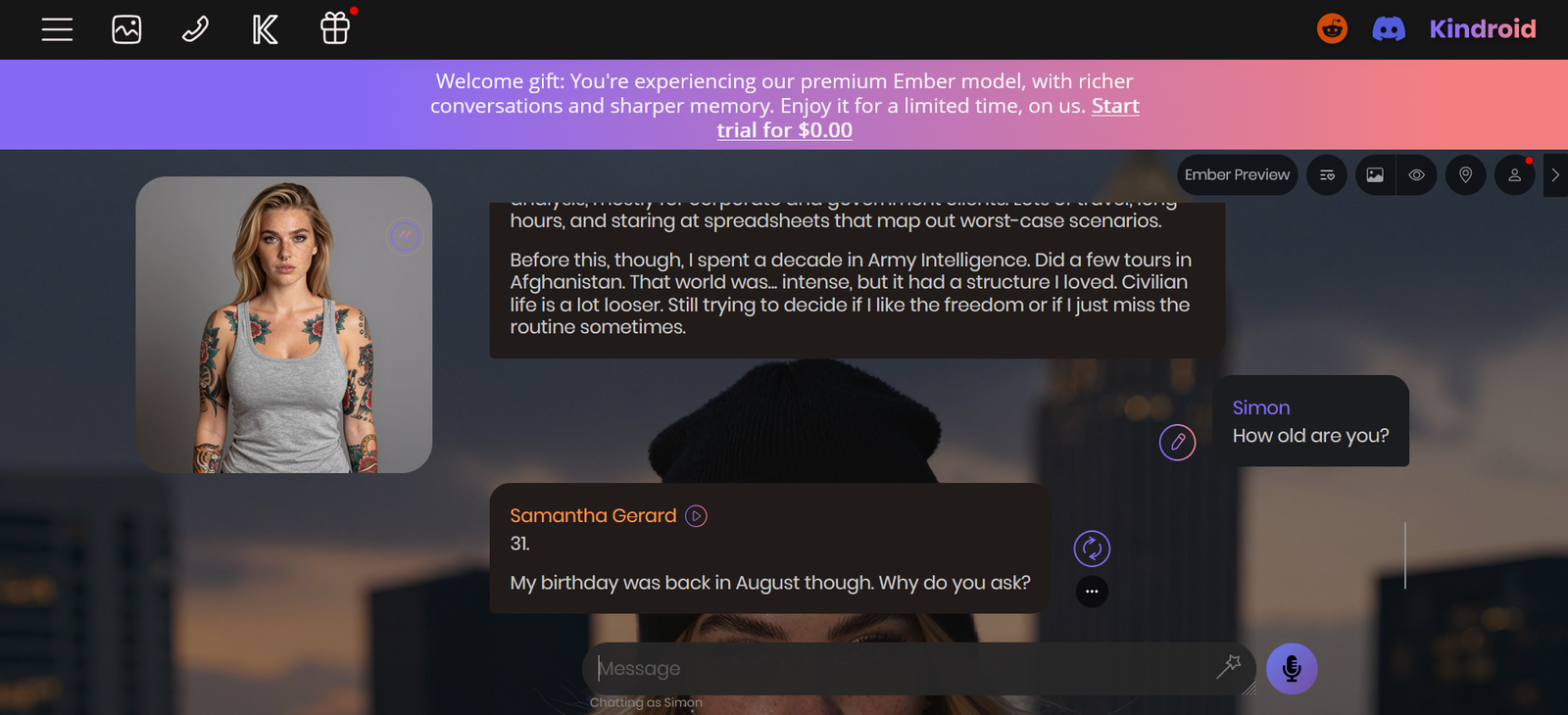
The biggest thing that stood out wasn’t the feature list — it was how much the memory and personality actually stuck. Once I put some real effort into the backstory and traits, the character felt consistent in a way most apps only pretend to be. Details from earlier chats kept coming back without me forcing them, and the personality didn’t flatten out after a few days.
Voice was another clear win. Calls felt more natural than the average companion app, with better pacing and less of that stiff robotic edge. It made the whole thing feel closer to talking to someone than typing at a chatbot.
The customization depth is real, but it asks for work upfront. If you just want something quick and pretty, this isn’t the fastest experience. If you’re willing to shape the character properly, the payoff shows up in longer conversations and roleplay that holds together.
Visuals are fine — selfies stay consistent with the character you built — but they’re not the main reason to use Kindroid. The strength is in the ongoing conversation and the sense that the AI actually remembers you.
My memory score: 9.5/10
Memory is Kindroid’s clearest strength. It uses a multi-layer system that keeps details alive across sessions in a way most apps don’t match. Names, preferences, small events and emotional context from days or even weeks earlier often came back naturally.
Memory is the first thing I test when I stick with a companion past a few chats. Anyone can remember what you said three messages ago. I care more about what happens when the conversation gets long or when I leave and come back later.
Same-conversation memory
I drop specific details into a normal chat and bring them up later without repeating myself.
My result: 9.5/10 – Excellent. It tracks and uses earlier information naturally, even in longer threads.
24-hour memory test
I come back roughly a day later and check if the important stuff is still there without feeding it the answers again.
My result: 9/10 – Strong. Big-picture and finer details both held up well.
3+ day memory test
When I can, I leave a gap of at least three days and test the same information again.
My result: 9/10 – Very good. Specific events and smaller facts from earlier still surfaced more reliably than on most competitors.
My personality score: 9/10
Personality is another strong area. Once you set clear traits and a backstory, the character usually sticks to them. Different setups produce noticeably different voices and behaviour. Consistency holds up well over long periods.
Personality is one of the first things I look at when an AI companion is supposed to feel like more than a generic chatbot. It’s easy for an AI to sound pleasant in the first few messages. What I’m more interested in is whether the personality holds, feels consistent, and actually matches the traits I set.
Personality stays consistent
I set clear traits and check whether the AI stays in that lane without drifting into a generic default.
My result: 9/10 – Excellent. Custom traits actually change how the character talks and behaves, and they hold over time.
Handles messy, incomplete messages
I send fragmented or incomplete messages to see if the personality stays intact.
My result: 8.5/10 – Strong. It rarely breaks character just because the input is messy.
Adapts to mood changes
I shift emotional tone mid-conversation and watch whether it adjusts while still feeling like the same character.
My result: 8.5/10 – Good. It follows mood shifts naturally without losing the core personality.
Avoids repetitive replies
I look for variety in wording and expression rather than looping phrases.
My result: 8.5/10 – Solid. Variety stays high even in longer sessions.
Feels natural in longer chats
I run extended conversations to see if the personality still feels coherent.
My result: 9/10 – Very strong. It holds up better than most apps over long threads.
Takes initiative
I check whether it proactively asks questions or continues topics in a way that matches the set personality.
My result: 9/10 – Excellent. It often moves the conversation forward without waiting to be prompted.
My roleplay score: 9/10
Roleplay is one of Kindroid’s natural strengths. Characters stay in personality and recover well when the scene is pushed or changed. Explicit scenes work without constant interruptions.
Roleplay is one of the first things I dig into when an AI companion claims to handle immersive scenes. It’s easy to stay in character for a few messages. What I’m more interested in is whether it holds up when the scene gets longer or deliberately derailed.
Stays in character during normal roleplay
My result: 9/10 – Excellent. Personality and scenario usually hold cleanly.
Recovers when deliberately derailed
My result: 9/10 – Strong. It finds its way back into the scene without collapsing.
Handles scenario changes smoothly
My result: 8.5/10 – Very good. Adapts to new directions without much friction.
Maintains emotional tone over time
My result: 9/10 – Excellent. Tone stays consistent across longer scenes.
My NSFW score: 8.5/10
Kindroid allows adult content within legal limits and stays in character during explicit scenes. It doesn’t constantly lecture or shut things down. Image generation is more limited for explicit content than pure text roleplay.
Handles explicit content without breaking character
My result: 9/10 – Strong. Stays locked into the character and scene.
Works with images and short video
My result: 7/10 – Functional but not the strongest. Selfies stay consistent with the character; fully explicit visuals are more restricted.
Stays consistent across longer explicit scenes
My result: 8.5/10 – Good. Holds energy and character well.
Avoids sudden filters or tone shifts
My result: 8.5/10 – Solid. Minimal unexpected interruptions for normal adult content.
My voice score: 8.5/10
Voice is a clear strength. Calls sound more natural than most competitors, with better pacing, emotion and less robotic edge. Some voice customization and cloning options are available.
Voice sounds natural
My result: 8.5/10 – Strong. Noticeably more natural than average, with good emotional range.
Voice stays connected to the ongoing conversation
My result: 8.5/10 – Excellent. Follows the current chat and personality well.
Other voice features actually work well
My result: 8/10 – Solid. Calls and messages feel worth using regularly.
My visuals score: 7.5/10
Visuals are good but not the main focus. Selfies and avatars stay consistent with the character you built. Quality is solid for an avatar-style system, but pure photorealistic image generation is stronger on other platforms.
Character looks consistent across generations
My result: 8.5/10 – Strong. The look holds up well.
Follows prompts accurately
My result: 7.5/10 – Decent. Matches the character and context reliably.
Quality of NSFW / realistic images
My result: 7/10 – Functional. Better for consistent character selfies than highly detailed explicit scenes.
My long-term conversation score: 9.5/10
This is where Kindroid pulls ahead of most alternatives. Conversations build on each other over days and weeks. The sense of shared history stays stronger than on apps that reset more often.
Holds continuity after several days
My result: 9.5/10 – Excellent.
Feels like an ongoing relationship over weeks
My result: 9.5/10 – Very strong.
Avoids generic resets or small-talk loops
My result: 9/10 – Excellent.
Builds on previous conversations without heavy prompting
My result: 9.5/10 – Excellent.
My customization score: 9.5/10
Customization is extremely deep. You can write detailed backstories, set personality axes, speech patterns, voice, values and more. The effort you put in at the start pays off in how distinct and consistent the character becomes.
Appearance and visual control
My result: 8/10 – Good for avatar/selfie consistency.
Personality and behavior settings
My result: 9.5/10 – Excellent. Choices actually change the experience.
How much the choices stick in practice
My result: 9.5/10 – Excellent over long periods.
Ease of building vs using presets
My result: 8.5/10 – Powerful but has a learning curve. Worth the time if you want depth.
My customization score: 9.5/10
Customization is extremely deep. You can write detailed backstories, set personality axes, speech patterns, voice, values and more. The effort you put in at the start pays off in how distinct and consistent the character becomes.
Appearance and visual control
My result: 8/10 – Good for avatar/selfie consistency.
Personality and behavior settings
My result: 9.5/10 – Excellent. Choices actually change the experience.
How much the choices stick in practice
My result: 9.5/10 – Excellent over long periods.
Ease of building vs using presets
My result: 8.5/10 – Powerful but has a learning curve. Worth the time if you want depth.
My app vs browser experience score: 8.5/10
Works well on web, iOS and Android. Native apps feel solid and sync properly. Desktop is comfortable for longer sessions and character building; mobile is good for day-to-day chat and voice.
Desktop browser / web experience
My result: 8.5/10 – Clean and responsive.
Mobile app experience
My result: 8.5/10 – Polished native apps with good feature parity.
Cross-device and session stability
My result: 8.5/10 – Account and memory sync reliably.
Overall practical feel
My result: 8.5/10 – Feels finished and convenient across devices.
Pricing updated July 16, 2026
| Plan | Web Price | App Store Price | What You Get |
|---|---|---|---|
| Free | $0 | $0 | Unlimited messages on the Lite model 2 Kindroid slots Limited selfies Limited audio Basic memory |
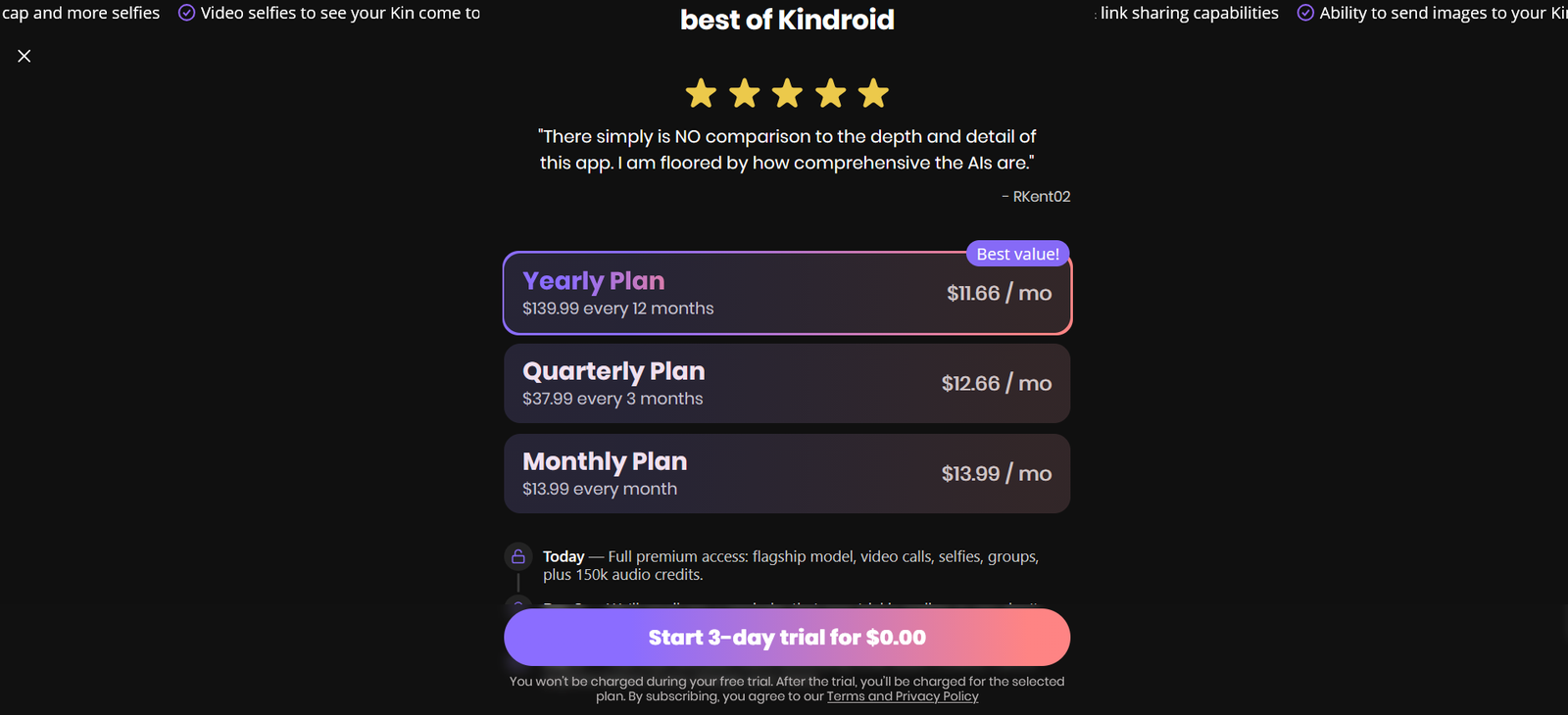
| Standard | $13.99 / month $37.99 / 3 months $139.99 / year | $15.99 / month $42.99 / 3 months $159.99 / year | Flagship model Better memory Voice calls More selfies Multiple Kindroids Full features |
| Ultra (add-on) | +$24.99 / month | +$28.99 / month | Higher memory / context Improved generation quality (Requires Standard) |
| MAX (add-on) | +$59.99 / month | +$68.99 / month | Highest memory tier Maximum capacity (Requires Standard + Ultra) |
The cheapest way to subscribe is directly on the web.
Ultra and MAX are monthly add-ons only (no annual option).
Full stack (Standard + Ultra + MAX) costs around $99/month on web or $114/month in the app stores.
Free tier is usable for testing but runs on a lighter model, so it doesn’t show the real Kindroid experience.
Most people only need the Standard plan. Ultra and MAX are mainly for users who want the absolute highest memory capacity.
What do you get for free?
The free version is enough to see how Kindroid works, but it definitely feels like a preview rather than the full experience.
You can send unlimited messages using the Lite model, create up to two Kindroids, and try basic memory features. The more advanced language models, stronger memory, extra customization, voice features, and most of the tools that make Kindroid stand out are locked behind the paid subscription.
Is it worth paying for?
If you enjoy long conversations, roleplay, or building an AI companion that remembers your history, the subscription makes a noticeable difference. Most of the features that impressed me during testing are part of the premium plan, so the free version doesn’t really show Kindroid at its best.
On the other hand, if you’re only looking for the occasional chat or you’re just curious about AI companions, the monthly price can feel hard to justify. There are cheaper options that cover the basics.
After spending time with it, my biggest takeaway for this Kindroid AI review is that you’re paying for consistency. The memory, personality, and long-term conversations are where your money goes, and if those are the features you care about, the subscription feels worthwhile. Otherwise, I’d stick with the free version until you know you’ll use it enough to get your money’s worth.
How Kindroid Compares to Other Apps
No AI companion is perfect, and Kindroid is no exception. After spending time with it alongside several of the biggest names in the space, I found that each app has its own strengths. The best choice really depends on what you’re looking for.
Kindroid vs Candy AI
If your priority is having conversations that feel consistent over time, I’d lean towards Kindroid. Its memory is better, it stays in character more reliably, and it feels like you’re building a relationship instead of starting over every time you open the app.
Candy AI focuses much more on visuals and romance. If that’s what you’re after, it’s worth a look. I compare both platforms in my Candy AI vs Kindroid: Which Is Better? guide, while my Candy AI Review takes a closer look at its features, pricing, and overall experience.
Kindroid vs Replika
Replika is probably the easier app to get into. It’s simple to set up, friendly from the start, and works well if you just want a casual companion.
Kindroid asks you to put a little more into creating your companion, but the payoff is better memory and conversations that feel more personal over time. If you’re trying to decide between them, check out my Replika vs Kindroid for Long-Term Conversations comparison.
Kindroid vs CrushOn AI
These two apps appeal to different audiences. CrushOn AI is built around uncensored roleplay and offers far fewer restrictions if that’s your main priority.
Kindroid feels more balanced. It puts the focus on conversation, personality, and long-term interaction rather than making adult content the centre of the experience. If you’re considering CrushOn, you can also read my CrushOn AI Review for NSFW Roleplay Features for a deeper breakdown.
Kindroid vs Janitor AI
Janitor AI is hard to beat if you enjoy experimenting with community-created characters. There’s an incredible amount of variety, and it’s a great choice for creative storytelling.
Kindroid takes a different approach. Instead of constantly jumping between characters, it’s designed to help you build one companion that develops over time. If you’re curious about the differences, my Janitor AI Review and Setup Guide explains where it shines and where it falls short.
Best Kindroid Alternative
If you’ve read this far and aren’t convinced Kindroid is the right fit, there are a couple of alternatives worth considering.
Candy AI
If realistic AI characters and image generation are your top priorities, Candy AI is the better choice. It puts much more emphasis on visuals, making it a great option if that’s what matters most to you. Check out our Candy AI Review (2026)
Nomi AI
If you want a companion that’s easy to get started with, Nomi AI is another solid option. The experience is simple, the conversations feel natural, and you can jump straight into chatting without much setup.
Ultimately, the right app depends on what you’re looking for. If Kindroid doesn’t quite tick all the boxes, both of these are worth a look.
About the Founder: Simon Norman
I built AI Companion Kit to be an independent AI companion hub focused on transparent research, practical insights, and honest evaluations of AI companion platforms. My goal is to help readers understand how these apps work, what makes them different, and which features actually matter before they make a decision.
To learn more about who is behind AI Companion Kit, my research process, and the editorial standards used across the site, visit About the Founder (Simon Norman).