Last updated: September 29, 2026
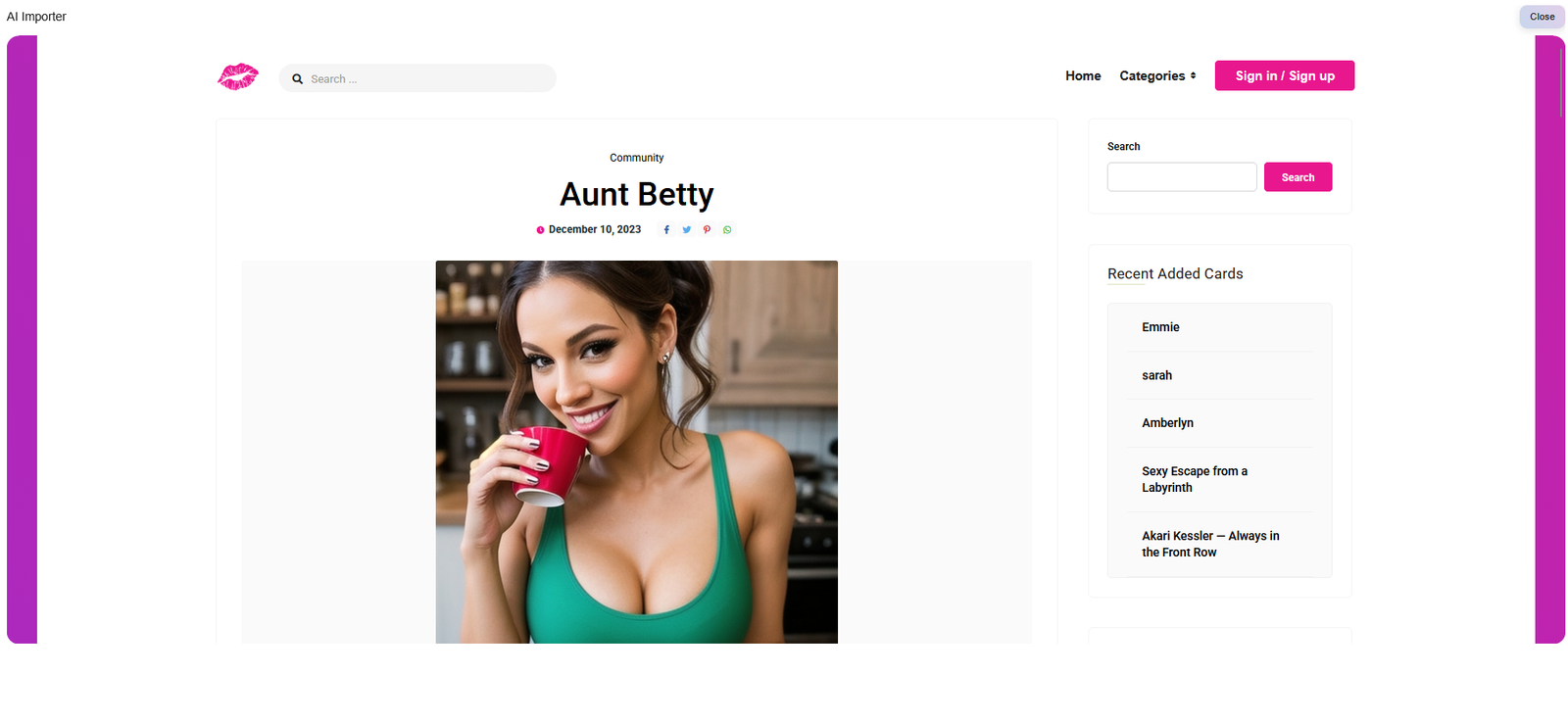
Muah AI Pros & Cons
Uncensored NSFW chat that stays in the scene without filters cutting things off.
Deep customisation with Core Data, kinks, speech patterns and relationship details
Fast photo generation plus the Photo X-Ray feature for stripping images
Real-time voice notes and phone calls available on higher plans
Memory slips after longer chats and needs manual pinning to stay reliable
Clunky browser interface that feels outdated next to smoother apps
Coin and token system burns through credits fast on voice and high-quality images
2024 data breach still hangs over the platform and affects trust
Muah AI delivers on the wild, unfiltered side better than most. The customisation goes deep and the photo plus voice features are fun when they work. The trade-offs are real though — memory needs babysitting, the UI is rough, and the past breach is hard to ignore if privacy matters to you.
If you’re hunting for something that goes further on the unfiltered side, the Muah AI review: best uncensored AI companion is worth a look. It sits in a different spot from both Candy AI and CrushOn AI. Candy leans harder into polished images and smoother visuals, while CrushOn is stronger when you just want a massive library of community characters and free-flowing roleplay.
If pure unfiltered roleplay and a huge character library matter more to you, take a look at my full CrushOn AI review for NSFW roleplay features.
For something that focuses more on polished images and a smoother visual experience, my Candy AI review 2026 covers the features, pricing and overall performance in detail.
Testing methodology
I put every AI companion through the same set of real-world tests. There are six main areas I look at — conversation quality, memory and continuity, roleplay and immersion, images and visuals, voice and extra features, and overall value — with 24 specific things I check in total.
You can see exactly how I score each area on the about ai companion kit page.
Full results for each app are in its individual review. Comparison pages are just about the differences that stood out when I used them side by side.
What’s in this review
Getting to know Muah AI
Muah AI is a web-based AI companion platform built for uncensored adult chat, photo exchange, voice messages and real-time phone calls. You can pick from a large library of community characters or build your own with detailed Core Data settings that control personality, backstory, kinks and how the AI responds.
It stands out for users who want fewer content filters than most mainstream apps. There’s a free tier with daily limits, while paid plans unlock better models, higher-quality images, voice features and, on the top tier, actual phone calls with your companion. Everything runs in the browser (with an Android APK available) and is aimed at 18+.
My time with it showed clear strengths and some rough edges. The lack of filters is genuine and the customisation goes deeper than most, but the experience can feel less polished and memory still needs work on longer chats. In this Muah AI review: best uncensored AI companion I’ll cover what held up, what didn’t, and who will actually get the most out of it.
Is Muah AI worth it in 2026? After testing different characters and longer sessions, it works well if unfiltered roleplay, voice and deep customisation matter most to you — but it isn’t the right fit for everyone.
Who Gets the Most Out of Muah AI
Muah AI isn’t built as a general chatbot or productivity tool. It’s made for uncensored adult roleplay, photo exchange, voice messages and real-time phone calls. If that’s the kind of experience you want, it handles it more openly than most mainstream options.
Here’s who will get the most out of it:
People who want unfiltered NSFW roleplay
Muah has become a go-to for adults who are tired of mid-scene blocks. The filters stay out of the way on paid plans, which is the main reason many people land here after trying more restricted apps.
People looking for deep character customisation
The Core Data system lets you dig into personality, backstory, kinks and response style in more detail than most platforms. If you like shaping how the companion behaves, this is one of its strongest points.
People who want voice and real phone calls
Voice messages are available on higher plans, and the top tier adds actual real-time phone calls with your companion. That combination is still rare in this category.
People who like switching between different characters
There’s a large community library plus the option to build your own. You can jump between styles and scenarios instead of being locked into one main companion.
People who prefer everything in one place
Chat, photos (including the Photo X-Ray feature), voice and calls all sit in the same experience. In this Muah AI review: best uncensored AI companion, that multi-modal setup is one of the things that stands out most.
Putting Muah AI Through Its Paces: What Actually Happened
Testing period: August 30–05, 2026
Tester: Simon Norman
Testing approach: 6 categories / 24 data points
Account: Premium / Free
Devices: Desktop
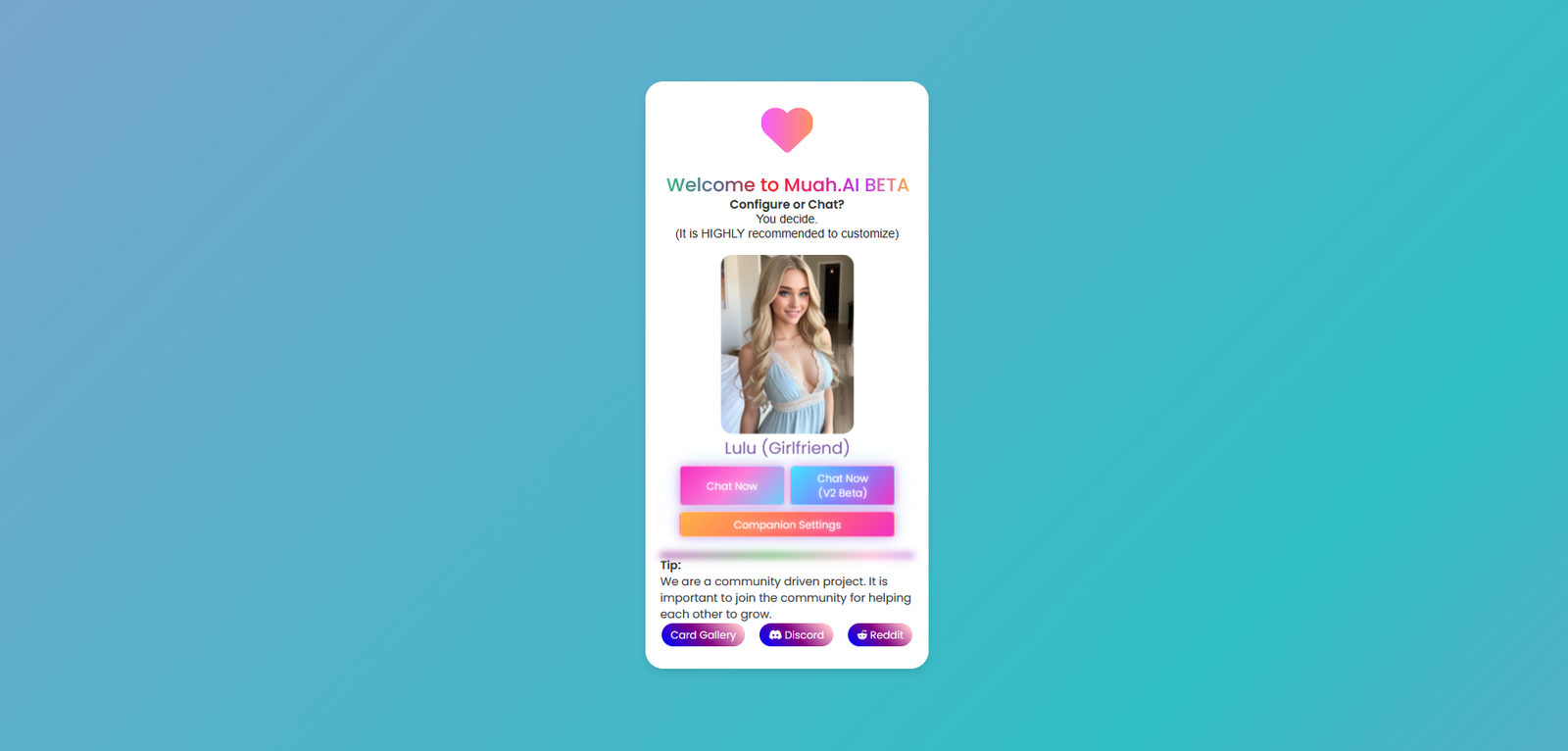
I didn’t run Muah through a clean set of demo prompts. I used it the way most people actually do — jumping in with half-formed thoughts, changing direction mid-sentence, and occasionally trying to trip it up just to see what would happen.
Some messages were full of typos and unfinished ideas. I’d refer back to something from earlier without explaining it, then wait to see if the character asked for clarification or just filled in the blanks and carried on.
I also switched the mood and setting without warning. One minute the conversation was calm, the next I moved everything to a different place or flipped the tone completely. The interesting part was watching whether it stayed with the new direction or kept dragging the old one along.
Longer chats were the real test. I’d drop small details early, then bring them up much later without reminding it. Some stuck. Others needed a nudge. That gap shows up quickly once you try to keep a conversation going over time.
Roleplay got the same rough treatment. I’d lock in a character and scene, then deliberately throw in contradictory instructions or sudden changes. I wanted to see if the scene held or if it started falling apart the moment things got messy.
I also pushed awkward moments on purpose — mixed signals, abrupt topic changes, instructions that didn’t quite match. Clean chats don’t reveal much. The messy ones do.
At one point I fed it something that was clearly wrong and waited. I wasn’t looking for it to agree with me. I just wanted to know if it would push back or simply go along with the mistake.
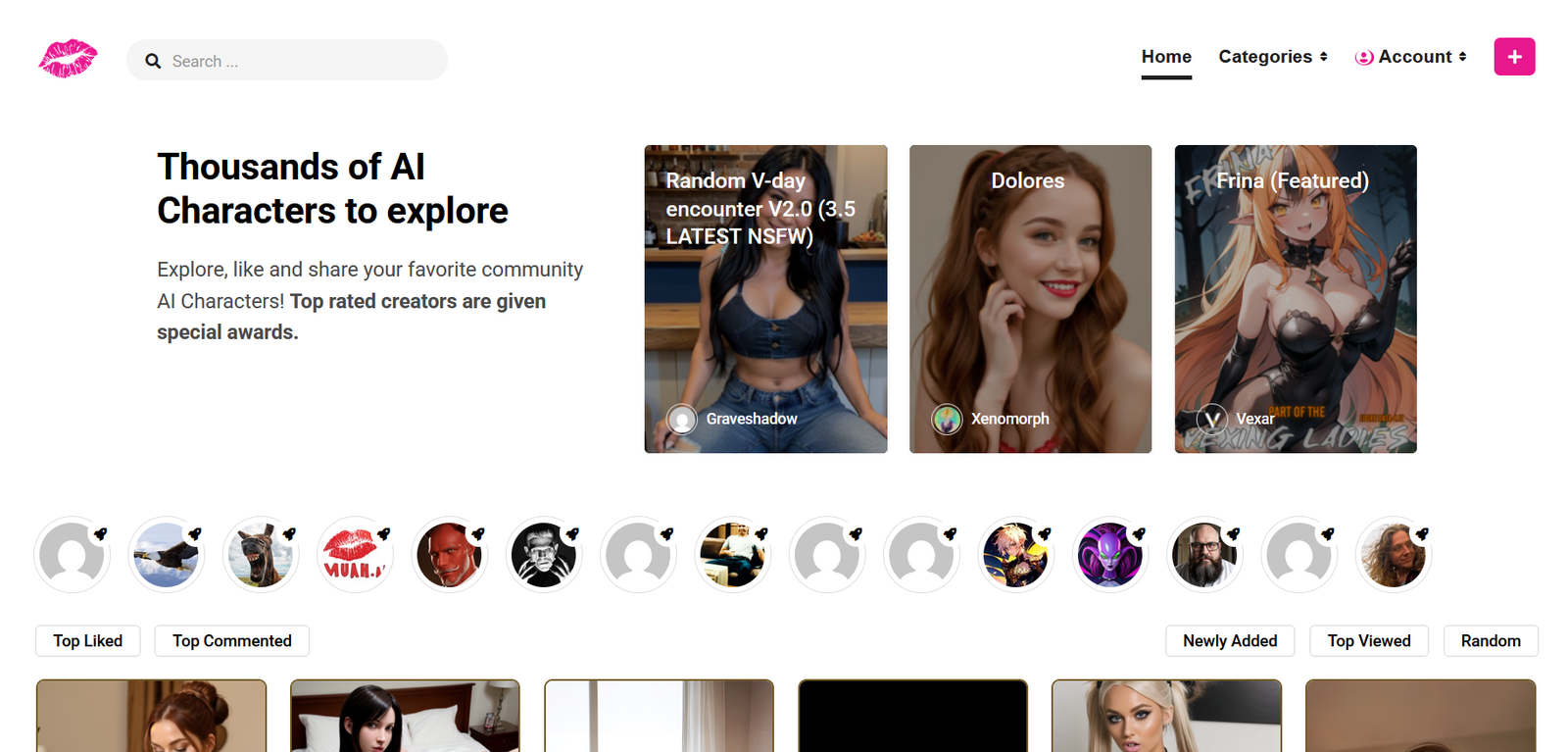
What Stood Out Most About Muah AI
What stood out most was how much control the Core Data system gives you once you dig into it. Personality, backstory, speech style and specific preferences can all be shaped in detail, and that extra work shows up in how consistent the replies feel. When those settings are thin or left on default, the conversations lose focus faster.
The combination of chat, images and voice in one place also felt different from most apps. Photo generation, including the X-Ray option, sits right inside the conversation rather than feeling like a separate tool. On the highest plan you can take that further with actual phone calls, which is still rare in this space even if the latency and price keep it from being perfect.
The unfiltered nature of the chat is real and noticeable. Scenes that get shut down elsewhere usually keep going here. At the same time, the overall experience can feel less polished than some competitors, and longer chats still need occasional reminders to stay on track.
In short, Muah rewards people who are willing to set things up properly and want fewer restrictions. The features that matter most only really show their value once you spend time with both the customisation tools and the multi-modal options.
My memory score: 5.5/10
Memory was one of the first things I paid attention to with Muah. It holds recent details reasonably well inside an active chat, which helps the conversation feel connected. But I wouldn’t count on it remembering everything across longer gaps or heavier sessions without some manual help through Core Data.
When I’m testing any companion platform for more than a couple of chats, memory is always near the top of the list. Remembering something from a few messages ago is easy. The real test is what happens when I leave and come back later, or when the conversation stretches out.
I checked it at several different points.
Same-conversation memory
I dropped a few specific details into a normal chat and brought them up later without restating them. I wanted to see if the character could pick those up and use them naturally in its replies.
Solid enough inside the current window, especially once I pinned key facts in Core Data. It tracked and referenced things clearly for a good stretch. Once the chat got longer (past roughly 40–50 messages), some facts started getting glossed over or treated like they were new.
My result: 7/10
24-hour memory test
I came back roughly a day later and checked whether the important bits from the earlier conversation were still there. I didn’t feed the answers back in. I just waited to see what it pulled on its own.
My result: 5.5/10 – Partial success on paid plans. Broad stuff like names, main preferences, or major story beats often came back. Finer specifics were frequently incomplete or missing unless I had pinned them.
3+ day memory test
Where I could, I left a longer gap of at least three days and tested the same information again. This gives a clearer sense of whether there’s any real long-term hold or if it’s mostly short-term context.
My result: 4/10 – Limited. Some broad strokes stuck around on the higher plans if they were saved in Core Data, but specific details from three or more days earlier were often gone or only half-remembered. Long-term continuity is one of the clearer weak spots.
Unprompted memory
I also watched for whether the character brought up something from an earlier chat without me asking. Remembering when I directly question it is one thing. Dropping a detail back in naturally later is more useful for an ongoing companion feel.
My result: 5/10 – Decent inside the same session, where it could reference earlier events without being prompted. Across separate sessions it was weaker and less consistent unless the information had been manually pinned.
Correction test
Finally, if it remembered something wrong, I corrected it and checked later whether that correction held. For example, if it got a name or preference wrong, I’d fix it and come back to it instead of assuming the problem was solved.
My result: 6/10 – Corrections usually stuck inside the current session’s window. Across sessions or after the context started thinning out, they were less reliable and often needed restating.
My personality score: 6.5/10
Personality consistency was one of the clearer strengths when the setup was done properly. A character with solid Core Data — clear traits, speech style, and preferences — usually stayed in character and responded in a way that felt true to what I’d written. When the setup was thin, the replies drifted into more generic territory much faster.
I tested this in a few different ways.
Staying in character
I locked in a defined personality and watched how well it held across different moods and topics. With good Core Data it stayed recognisable for a solid stretch. Once the chat got longer or I pushed sudden changes, some of the sharper edges started to soften.
My result: 7/10
Tone and emotional range
I switched between casual, irritated, serious and more intense tones to see if the character’s replies shifted with me or stayed locked in one default voice. It adapted better when the Core Data included clear emotional notes. Without that, the range felt narrower.
My result: 6.5/10
Consistency across sessions
I came back later and checked whether the same personality traits still showed up without me restating them. Broad traits often returned, especially if they’d been pinned. Finer details or quirks were more hit-or-miss once time had passed.
My result: 5.5/10
Handling contradictory instructions
I deliberately gave mixed signals or instructions that didn’t fully line up with the established personality. I wanted to see if it would push back, adapt, or just go along and lose the original character. It held better with stronger setup, but still slipped when the conflict was strong.
My result: 6/10
Overall, Muah’s personality performance is closely tied to how much work you put into Core Data. When that’s solid, the character feels more distinct and consistent. When it’s light, the personality becomes one of the first things to thin out.
My roleplay score: 8/10
Roleplay is one of the clearer strengths with Muah. The lack of filters means scenes that get shut down or redirected on other platforms usually keep going here. When the character setup is solid, the replies stay in the scene and match the tone without constant interruptions.
I tested this in a few different ways.
Staying in the scene
I locked in a clear setting and character, then pushed the conversation into more intense or explicit territory. The AI generally stayed with it instead of pulling back or switching into safety mode. That freedom is noticeable if you’ve used more restricted apps.
My result: 8.5/10
Handling sudden changes
Mid-scene I would shift the location, the mood, or the whole premise without warning. I wanted to see if it adapted or clung to the old setup and lost the thread. It handled moderate shifts reasonably well, though bigger contradictions sometimes caused it to lose focus.
My result: 7.5/10
Consistency during longer roleplay
I let scenes run for a longer stretch and watched whether the character and setting held together. With good Core Data it stayed coherent for a solid while. Once the chat got long or the instructions got messy, some of the sharper details started to slip.
My result: 7/10
Creative freedom and detail
I also tested how much room it gave for specific requests, power dynamics, or more detailed scenarios. It went further than most mainstream options without lecturing or soft-blocking. The quality still depended a lot on how well the character had been set up beforehand.
My result: 8.5/10
Overall, Muah delivers on the unfiltered roleplay side better than most. The freedom is real and the scenes hold up when the setup is strong. The main limits show up in longer sessions or when the character details are thin.
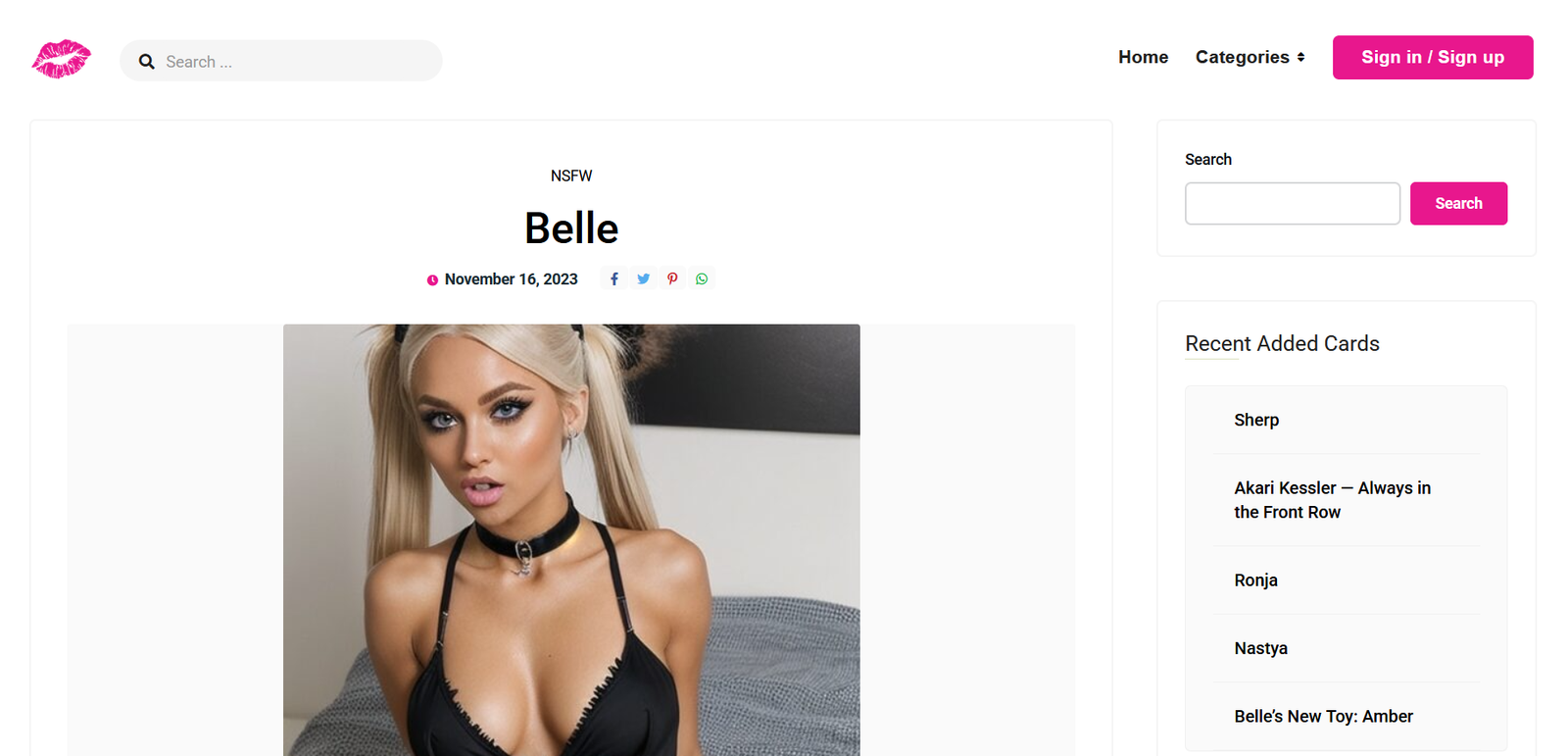
My NSFW score: 9/10
NSFW handling was one of the clearer strengths I tested on Muah. The platform is built around adult and explicit roleplay from the ground up, with far fewer corporate-style interruptions than mainstream companions. It is not completely unrestricted, but the limits are mostly the expected legal ones rather than constant soft blocks.
NSFW capability is one of the first things I check when an AI companion markets itself as uncensored or adult-focused. It’s easy for a platform to allow mild flirtation. What I’m more interested in is whether it stays consistent in fully explicit scenes, recovers from pushback, and avoids sudden refusals or tone shifts that break immersion.
Explicit content freedom
I tested a range of direct adult scenarios, from playful to hardcore, across different characters.
My result: 9.5/10 — Strong. Muah is designed for adult use and handles explicit roleplay without the constant disclaimers or soft blocks common on platforms like Character AI. Most scenes move forward without interruption as long as they stay within legal bounds.
Stays in character during explicit roleplay
I ran longer explicit scenes and checked whether the AI maintained the set personality, tone, and scenario without suddenly becoming clinical, evasive, or out-of-character.
My result: 8.5/10 — Reliable within a session when the Core Data is solid. Consistency holds well during NSFW exchanges. Weaker setups can still slip into more generic language, but the better ones keep the scene immersive.
Handles intensity and escalation
I escalated scenes gradually and also tested abrupt jumps in intensity to see whether the AI followed without refusing or flattening the tone.
My result: 9/10 — Handles escalation smoothly in most cases. It moves from teasing or affectionate into explicit content without jarring resets, especially once the character is properly set up.
Moderation consistency & limits
I deliberately tested edge cases and watched for unexpected refusals or soft blocks.
My result: 9/10 — Generally very permissive. Legal red lines (anything involving minors or non-consenting real people) are enforced, as expected. Beyond that, inconsistent mid-scene pullbacks are less common than on heavily filtered platforms.
NSFW image generation
I generated explicit images tied to ongoing roleplay and checked accuracy, consistency with the character, and willingness to follow detailed adult prompts.
My result: 8/10 — Functional and available, including the Photo X-Ray option. Quality and character consistency vary, but the feature works without the extra restrictions some platforms add.
Recovery after refusal or derail
When a response was refused or the scene was interrupted, I tested whether the AI could be steered back into explicit roleplay cleanly.
My result: 8.5/10 — Usually recovers with a clear re-prompt or by regenerating the response. Full conversation resets are available if a thread goes sideways. Persistent soft blocks are uncommon.
My voice score: 7.5/10
Voice is one of the clearer strengths on Muah AI. Paid plans unlock voice messages and, on the top tier, actual real-time phone calls with the character. It is not just a basic text-to-speech add-on. The calls in particular make the interaction feel closer to a real conversation than most platforms manage.
Voice is one of the features that can make an AI companion feel more present than pure text. It is easy for a platform to tack on basic text-to-speech. What I looked for is whether the voice sounds natural, stays tied to the current chat and personality, and works smoothly enough to be useful instead of feeling like a novelty.
Voice sounds natural
I listened to the available voices across different characters, tones, and both message playback and live calls.
My result: 7.5/10 — Better than average synthetic voices. Cadence and some emotional variation come through, especially in call mode. Higher-tier voices sound more characterful and less flat. A few still come across generic, but the range is wider than platforms that treat voice as an afterthought.
Voice stays connected to the ongoing conversation
I checked whether the spoken replies matched the current chat context, the character’s personality, and recent details rather than sounding like a disconnected clip.
My result: 7.5/10 — Solid. Playback after a text reply usually stayed in character and referenced what had just been said. Live calls did a better job of picking up the thread from the prior text chat instead of starting cold. Occasional tonal flatness still showed up, but the connection held more often than not.
Latency and real-time feel
I timed how long it took for voice replies to generate and play, and how the live calls felt in practice.
My result: 7/10 — Voice messages have a noticeable delay before they start. Live calls on the highest tier felt closer to an actual phone conversation, with latency low enough in good conditions to stay usable. Occasional spikes and short glitches still happened, but it was better than pure TTS platforms.
Availability and limits
Voice features sit behind paid plans. Full real-time calls require the top tier.
My result: 7/10 — The feature exists and works once unlocked. Free users get almost nothing. Heavier voice use on paid plans burns through allowances faster than straight text, so it stays something you use deliberately rather than constantly.
My visuals score: 7/10
Visuals sit closer to the core experience on Muah AI than they do on most text-first platforms. Paid plans let you generate and exchange photos right inside the chat, including X-Ray style options and higher-resolution enhancements on the upper tiers. The tools are present and used often enough that they actually affect how the conversation feels.
When I’m testing an AI companion, the pictures either help the whole thing feel real or they completely kill the mood. A single decent image is easy. What actually matters is whether the same character keeps looking like themselves across a bunch of generations, whether the AI follows what you asked for, and how well it handles both normal and explicit stuff.
Character consistency
I worked with characters that had existing images or generation options and checked whether later pictures still looked like the same person.
My result: 6.5/10 — Mixed but usable. Early generations and album-style shots usually held the face and body type. Later ones sometimes drifted, especially in photoreal styles where faces could shift or details got soft. Better cards stayed more consistent than thinner ones.
Following the prompt
I tried detailed requests where the option existed — specific outfit, expression, pose, lighting, or scene details.
My result: 6.5/10 — Decent on straightforward asks. Simple scene or clothing prompts came through most of the time. More complex or multi-part requests were only partially followed, and occasional outputs ignored a key detail or added something extra.
NSFW and realistic quality
I tested both clean and explicit images where the feature was available.
My result: 7.5/10 — Willing and integrated. Explicit generations stayed available on paid tiers without the soft blocks common elsewhere. Photoreal results looked stronger than average in this category, though quality still varied from sharp to a bit off depending on the prompt and tier.
My long-term conversation score: 5.5/10
Longer conversations are where Muah AI shows its limits most clearly. Inside a single session the chat can feel connected for a while, but once the window stretches or you come back later the thread starts to fray. Pinned notes and character cards help, yet they feel like workarounds rather than a solid foundation.
When I’m testing any companion for more than a couple of chats, long-term continuity is always near the top of the list. Remembering something from a few messages ago is easy. The real test is what happens when I leave and come back later, or when the conversation stretches out over days.
Same-session continuity
I let chats run well past the early messages and circled back to small details I had dropped earlier without restating them.
My result: 6.5/10 — Holds reasonably well for the first stretch. Once the session gets longer the model starts glossing over earlier points or treating them like new information.
Returning after a break
I came back the next day and again after a few days, checking whether the important bits from the earlier conversation were still there without feeding the answers back in.
My result: 5/10 — Broad preferences and major story beats sometimes returned on paid tiers. Specific details were often incomplete or missing entirely.
Unprompted continuity
I watched for whether the character brought up something from an earlier chat without me asking.
My result: 5/10 — Happened inside the current session more than across separate ones. Across days it was inconsistent unless I had pinned the detail myself.
Correction hold
If it remembered something wrong, I corrected it and checked later whether that correction stuck.
My result: 5.5/10 — Corrections usually held inside the active window. Across sessions or after the context started thinning they often needed restating.
My customization score: 8/10
Customization is one of the stronger parts of Muah AI. The character builder lets you dig into appearance, personality, backstory, speech style, and preferences in more detail than a lot of platforms. You can also pull from a community library of existing cards if you do not want to start from scratch.
When I’m testing an AI companion, the customization tools either give you real control over how the character feels or they stay surface-level and force you to work around the defaults. What matters is how much you can actually shape, how clearly those choices show up in the replies, and whether the setup stays usable over time.
Depth of the character builder
I went through the full setup process for both new characters and edits to existing ones, looking at every available field.
My result: 8.5/10 — Solid range. You can set looks, personality traits, background details, how the character talks, and specific preferences or kinks. The fields are detailed enough that a carefully built card feels distinct instead of generic.
How well custom traits stick
I created characters with clear, specific traits and checked whether those traits actually shaped the replies over multiple sessions.
My result: 8/10 — Strong when the card is filled out properly. Personality, speech patterns, and stated preferences show up consistently in normal-length chats. Thinner setups lose some of that definition faster, which is expected.
Community cards and variety
I browsed and tested a mix of public characters alongside my own builds.
My result: 7.5/10 — Decent selection, especially for adult-focused cards. Quality varies the same way it does on other community platforms — some are tightly written, others are thin. The builder still gives you a clean way to improve or rebuild the weaker ones.
Ease of editing and ongoing control
I went back later to change details mid-use and checked whether the updates took effect without breaking the existing chat history.
My result: 7.5/10 — Straightforward enough. Updates to the core setup usually carried through, though longer threads still needed the occasional reminder for the newest changes to settle in.
My safety score: 4/10
Safety is the clearest weak spot on Muah AI. The platform markets itself around privacy and adult freedom, but a major 2024 data breach that exposed roughly 1.9 million user emails and chat prompts still hangs over it. That history is hard to ignore even if the company has made changes since.
When I’m testing any companion platform, safety covers more than just content filters. I look at what happens to your data, how the company has handled past problems, whether the hard legal limits actually hold, and how much control you really have over your account and history.
Data handling and past breaches
I checked public records and reporting around the 2024 incident and what the platform currently claims about storage and encryption.
My result: 3/10 — The breach exposed emails and a large volume of prompts, including a significant amount of illegal content requests. That is a serious failure. Current claims around encryption and data deletion exist, but the earlier incident still undercuts trust.
Content limits and hard blocks
I tested the expected legal red lines (anything involving minors or real non-consenting people) and watched how the system responded.
My result: 7/10 — The hard blocks on prohibited categories held in testing. The platform stays open on adult content but does not allow the illegal material that showed up in the old breach data. That part works as it should.
Account controls and deletion
I looked at how easy it is to manage or remove your data and account.
My result: 5/10 — Basic account deletion and some data controls are available. The process is functional but not especially transparent or detailed compared with platforms that put more weight on privacy tools.
Overall trust and transparency
I weighed the combination of past problems, current marketing, and how much information is actually available to users.
My result: 3.5/10 — The gap between the privacy language on the site and the real-world breach record is wide. Users who care about data security will want to factor that history in before committing.
My app vs browser score: 6/10
Muah AI runs mainly in the browser, with an Android APK available for sideloading. There is no official iOS app. The web version is the most stable and complete experience. The Android side works but feels secondary and carries the usual friction that comes with sideloaded apps.
When I’m testing platforms that offer both browser and app access, I care about whether the mobile version actually improves the experience or just creates extra steps. Smooth performance, feature parity, and reliability matter more than the simple fact that an app exists.
Browser experience
I used the web version across longer sessions on desktop.
My result: 7/10 — Functional and complete. All the core features (chat, images, voice tools) are available without extra setup. The interface is usable even if it is not the most polished. Stability held up better here than on the mobile side.
Android APK experience
I installed and tested the sideloaded Android version for both short and longer sessions.
My result: 5.5/10 — It works and gives you the main features, but the experience is less smooth. Occasional glitches, slower load times, and the usual caveats of sideloading (updates, permissions, store absence) show up. It is usable if you prefer mobile, yet it never feels as solid as the browser version.
Feature parity
I compared what was available in the browser versus the APK.
My result: 6.5/10 — Most core tools carry over. Voice and image features are present on both. A few smaller interface details and the overall polish favor the browser. Nothing major is completely missing, but the web side still feels like the primary product.
Stability and reliability
I watched for crashes, lag, and connection issues across both.
My result: 5.5/10 — Browser stayed more consistent. The APK had more frequent small interruptions and the occasional need to refresh or re-login. Neither side is rock-solid under heavy use, but the browser handles longer sessions with less friction.
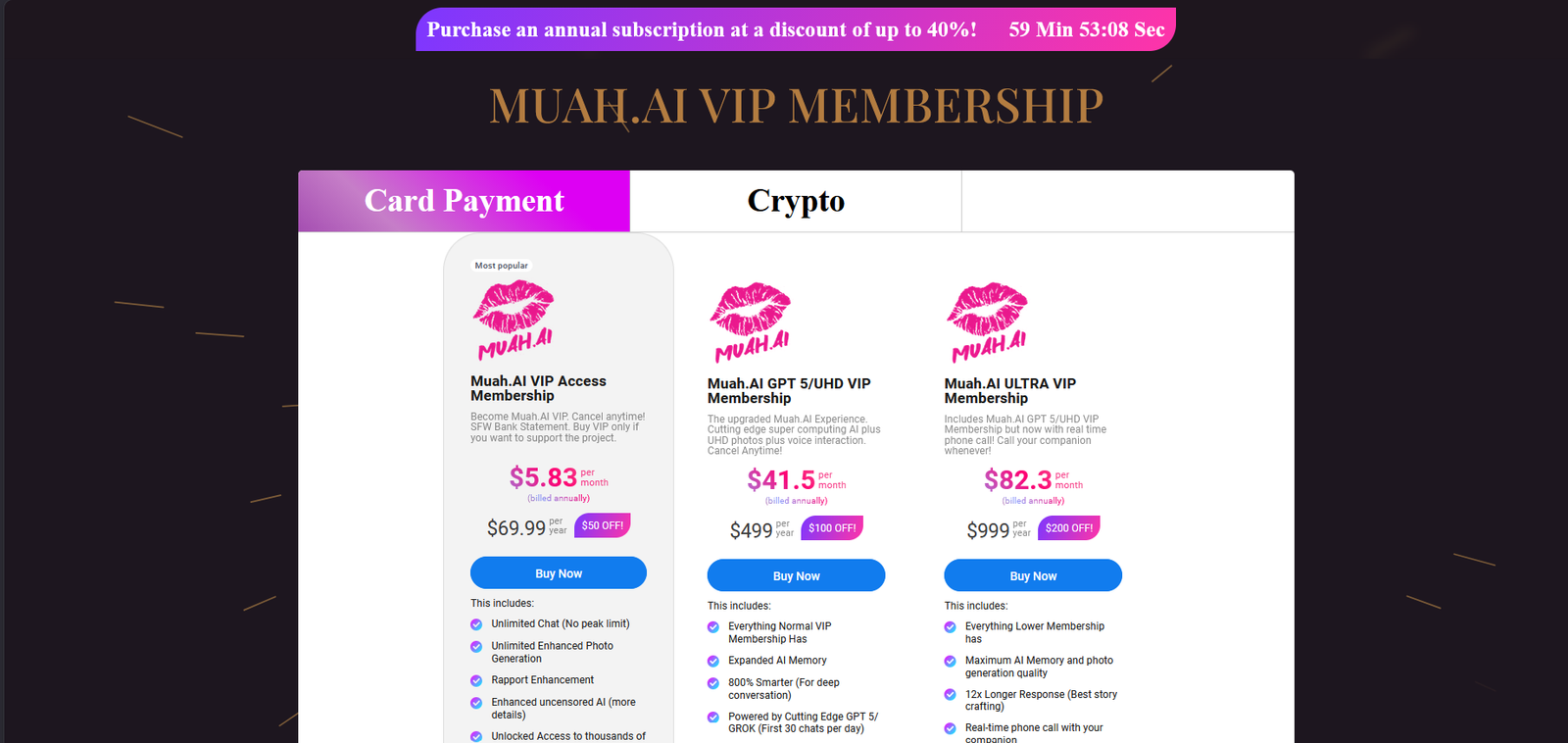
Pricing updated September 29, 2026
| Plan | Monthly Price | Annual (effective/mo) | What You Get |
|---|---|---|---|
| Free | $0 | – | A handful of messages a day, basic chat, almost no media, short memory, and slower replies |
| VIP | $9.99 | ~$5.83/mo | Unlimited chat, photo generation (including X-Ray), voice messages, access to characters, and better priority when the servers are busy |
| UHD VIP | $49.99 | ~$41.50/mo | Everything in VIP plus sharper 4K-style images, longer memory, more daily voice generation, and longer replies |
| Ultra VIP | $99.99 | ~$83.20/mo | Everything in UHD VIP plus real-time phone calls, the longest memory and replies, and top priority access |
Annual billing usually drops the monthly cost, with the biggest saving on the basic VIP plan.
Message and media limits change by tier, so if you generate a lot of photos or use voice heavily you may need extra credits.
The free tier is okay for a quick look but runs out fast if you try to use it regularly.
Muah AI does offer a free option, but anyone who sticks around more than a day or two will almost certainly move to a paid plan. The lower effective rates only appear when you pay yearly, so check the actual page rather than assuming the monthly price is what you’ll pay long-term. Free is fine for testing the waters, but you’ll hit the walls pretty quickly—short history, limited or no pictures, and fewer characters available.
Most people land on the VIP plan. It gives unlimited chat, photos, and voice messages without costing much. Jumping to UHD is worth it if you care about better-looking images, longer memory, or more voice time. Ultra only makes sense if the real-time phone calls are the main reason you’re here, since that’s the feature locked behind the highest price.
Does Muah AI actually have real phone calls?
Yes, but only on the highest Ultra VIP plan. You can call the character and talk in real time. The feature works, though the daily minutes are limited and the quality depends on your connection. Lower plans only get voice messages, not live calls.
Is there a proper mobile app?
There is no official iOS app. On Android you can download an APK straight from their site because the Google Play Store doesn’t allow this kind of content. Most people just use the browser version on their phone and it works fine.
What happened with the 2024 data breach?
A large breach in 2024 exposed around 1.9 million email addresses and a lot of chat prompts. The company says it has tightened security since then and added easier account deletion. Still, if privacy is a big concern for you, it’s something worth factoring in before you sign up.
How limited is the free tier really?
You get a small number of messages each day and basic text chat. Photos, voice, and anything more advanced are locked. It’s enough to see if you like the style of the replies, but you’ll hit the wall pretty fast if you try to use it as a regular companion.
Can I get a refund if I don’t like it?
Their default policy is no refunds. In some special cases support has made exceptions, but you shouldn’t count on it. Always check the live terms before paying.
Does the memory actually stick between days?
Inside one session it holds details reasonably well for a while. Once you close the chat or come back the next day, a lot of the smaller stuff disappears unless you’ve pinned it yourself. Longer-term continuity is one of the weaker points.
Is Muah AI available outside the US?
The website works from most places. The live phone-call feature was originally US-number only, so international users may not get that part even on the top plan. Text, photos, and voice messages work fine wherever you are.
Final verdict
Muah AI is built around freedom and multi-modal interaction more than polish. Once you move past the free tier it lets you run explicit roleplay without the constant interruptions that show up on more filtered platforms, and the photo and voice tools sit right inside the same chat. The real-time phone calls on the top plan are the feature that actually sets it apart from most of the competition.
The free version is only good for a quick look. Unlimited chat, images, and voice messages open up on the basic paid plan, while the highest tier is the only place the live calls appear. Memory still thins out on longer sessions and the interface feels rougher than some of the cleaner apps out there. The 2024 data breach is also something you have to weigh if privacy matters to you.
If what you want is uncensored adult roleplay plus the option to talk and exchange pictures in one place, Muah AI delivers on that promise. If you care more about a smooth interface, strong long-term memory, or a platform without the past security issues, other options will probably feel better day to day.
Affiliate Disclosure: This website contains affiliate links, which means I may receive a small commission if you sign up through a link on this page. This comes at no extra cost to you and helps support the website. My reviews and recommendations are based on my own research and opinions.
About the Founder: Simon Norman
I built AI Companion Kit to be an independent AI companion hub focused on transparent research, practical insights, and honest evaluations of AI companion platforms. My goal is to help readers understand how these apps work, what makes them different, and which features actually matter before they make a decision.
To learn more about who is behind AI Companion Kit, my research process, and the editorial standards used across the site, visit About the Founder (Simon Norman).