
Last updated September 29, 2026
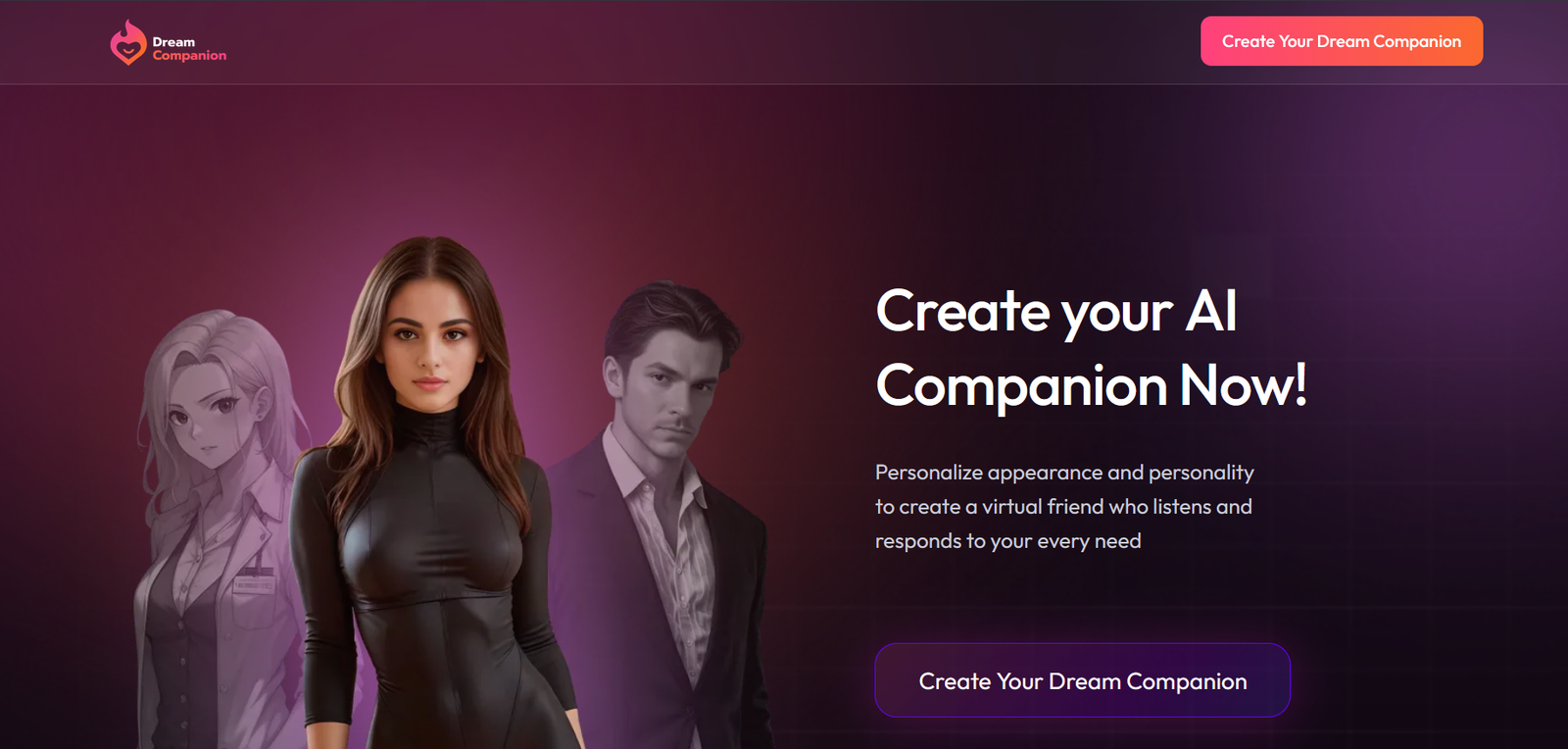
I spent three weeks testing Dream Companion every day. In this Dream Companion Review I’ll walk through what actually stood out — the chat quality, how well it remembered things, roleplay, the images and video, and whether the paid plans feel worth it.
Dream Companion Pros & Cons
Create your own companion with a personalized personality, interests and appearance
Memory helps maintain continuity by remembering things that matter from previous conversations
You can create multiple companions, rather than being limited to one character
Available across platforms, allowing you to use your companion beyond a single device
The free experience is limited, so you need a paid plan for heavier use
Dream Coins are used for media, so frequent image, video or voice use can add up quickly
The pricing structure can get expensive at the higher end, particularly if you want the more advanced features
The experience is primarily aimed at companion chat, so people looking for a general-purpose AI assistant may find it less useful
Dream Companion is a good fit if you want to build a personalized AI companion and keep developing the relationship over time. The ability to customize personalities, create multiple companions and use memory makes it more than a basic chatbot. The biggest drawbacks are the limits of the free experience, the extra cost associated with media and the fact that some privacy details require a closer look.
Testing methodology
I put every AI companion through the same set of real-world tests. There are six main areas I look at — conversation quality, memory and continuity, roleplay and immersion, images and visuals, voice and extra features, and overall value — with 24 specific things I check in total.
You can see exactly how I score each area on the about ai companion kit page.
Full results for each app are in its individual review. Comparison pages are just about the differences that stood out when I used them side by side.
Table of Contents
So What’s Dream Companion all about?
After three weeks of daily use, Dream Companion stands out most for its character creator and how well it holds details across sessions. Compared to Candy AI, it gives you more control over personality and appearance, and the memory holds up better over multiple days. Candy still produces cleaner, more consistent images and short video. You can read the full Candy AI review: Candy AI Review (2026): Is It Worth It? Features, Pricing & Pros and Cons if you want the side-by-side details.
Against Kindroid, Dream Companion is freer with adult content and includes image and video generation inside the same chat. Kindroid still feels stronger on pure conversation flow and long-term personality consistency. Check Kindroid AI Review: Is It Worth It? Features, Pricing & Real Testing for the full breakdown.
CrushOn AI is better if you mainly want a huge library of community characters and pure text roleplay. Dream Companion feels more complete if you want to build one companion and keep using images and video with it. You can see the full CrushOn AI review for NSFW roleplay features if you want to compare them directly.
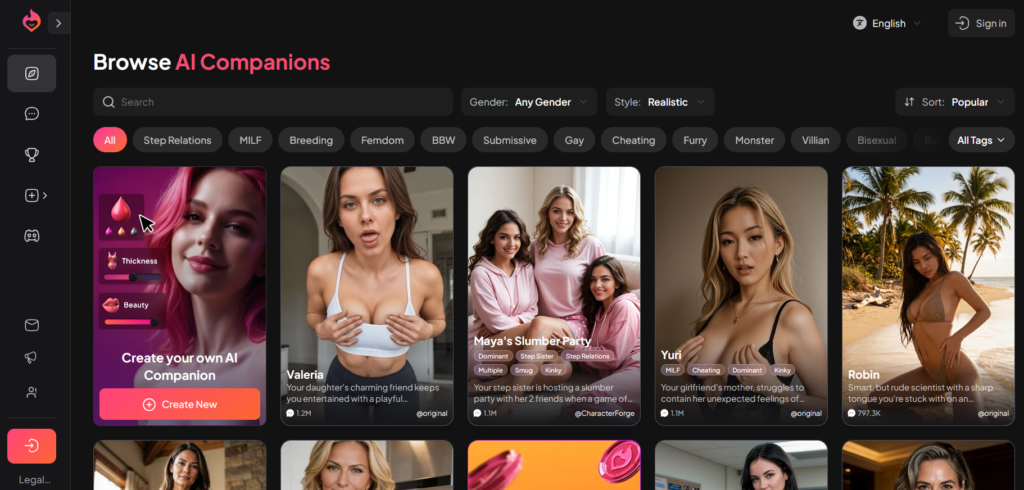
Who Dream Companion Actually Suits
Dream Companion works best if you want to build one companion and stick with it over weeks, rather than jumping between different characters every day. It’s stronger on customization and keeping the conversation going than on quick, casual chats.
Here’s who will get the most out of it:
People who like deep character creation
You can adjust a lot of details — personality, appearance, interests, how they talk. If you enjoy shaping the companion yourself instead of picking a ready-made one, this is one of its clearer strengths.
People who care about memory over multiple days
It holds onto preferences, past events and relationship details better than a lot of apps. Coming back after a day or two usually feels continuous rather than starting over.
People who want images and short video in the same place
Chat, image generation and short video clips all sit inside one experience. You don’t have to switch tools when a scene needs visuals.
People looking for uncensored roleplay
On the paid plans the filters stay out of the way. Scenes that get interrupted elsewhere usually keep going here.
People who prefer building one long-term companion
It’s less about browsing a huge library of characters and more about creating one and developing the relationship over time.
Testing period: August 16–23, 2026
Tester: Simon Norman
Testing approach: 6 categories / 24 data points
Account: Premium / Free
Devices: Desktop
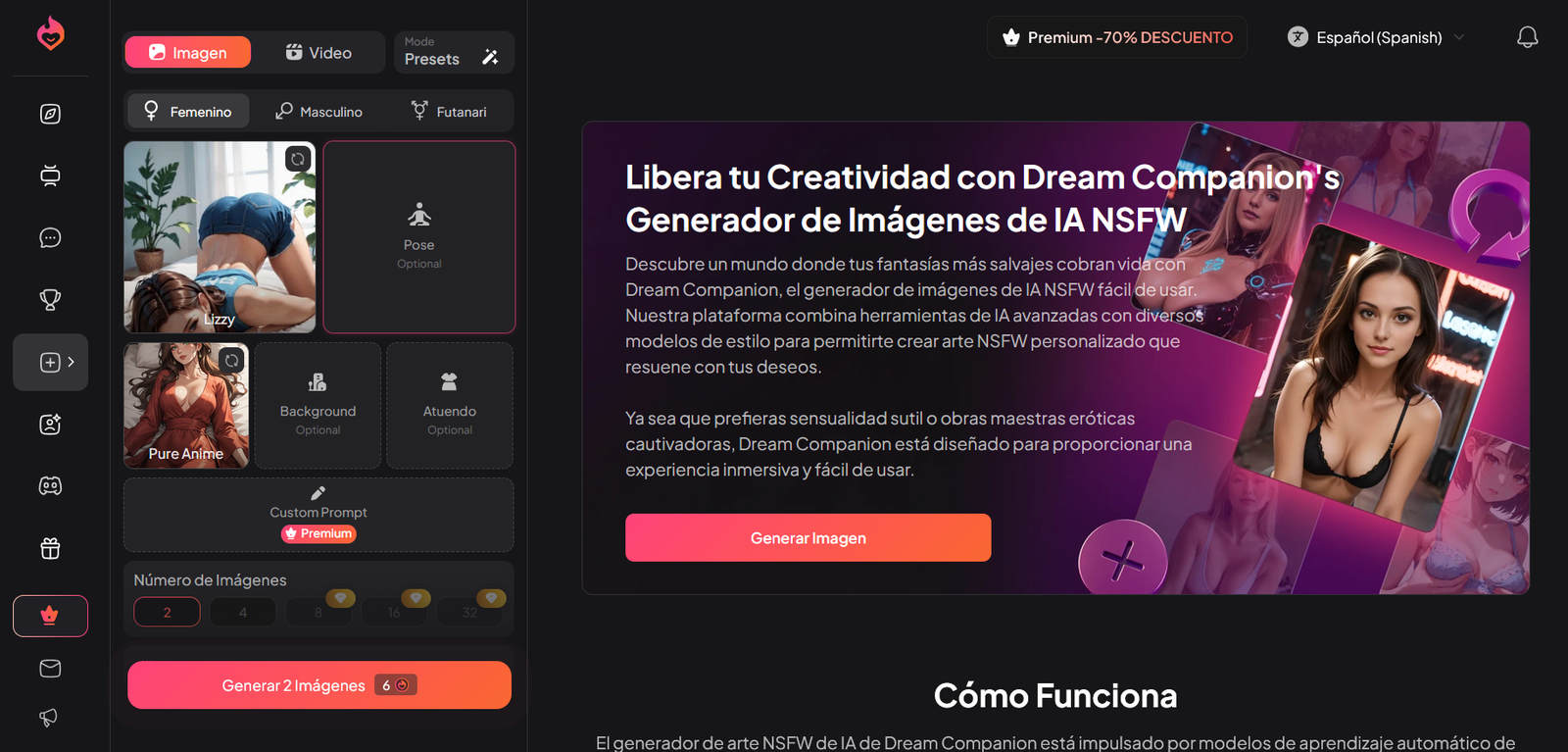
I tested Dream Companion over several weeks of daily use, not with careful scripts. Most sessions were the messy kind people actually have — incomplete messages, sudden topic changes, and details dropped once then left alone.
Memory was checked the hard way. I’d mention something early (a preference, a made-up detail, a past event) and then ignore it for days. On day 9–12 some of those details came back unprompted. Others had faded and needed a reminder. The hit rate was better than average, but it wasn’t perfect — small passing comments were the first to disappear.
Roleplay got the same rough treatment. I’d set a clear character and scene, then deliberately introduce contradictions or switch the mood halfway through. Stronger setups held for longer stretches. Weaker ones started repeating phrases or drifting once the conversation went past 30–40 messages.
Longer sessions revealed more than short ones. After a week of consistent use, some characters still referenced earlier events without being prompted. Others needed a light nudge. That difference only shows up when you stay with the same companion instead of starting fresh every day.
I also tested how it handled being wrong on purpose. If I stated something incorrect about the character or the situation, I watched whether it pushed back or simply accepted the mistake. Some characters corrected me. Others just went along with it.
Clean, polite chats don’t show much. The inconsistent ones do.
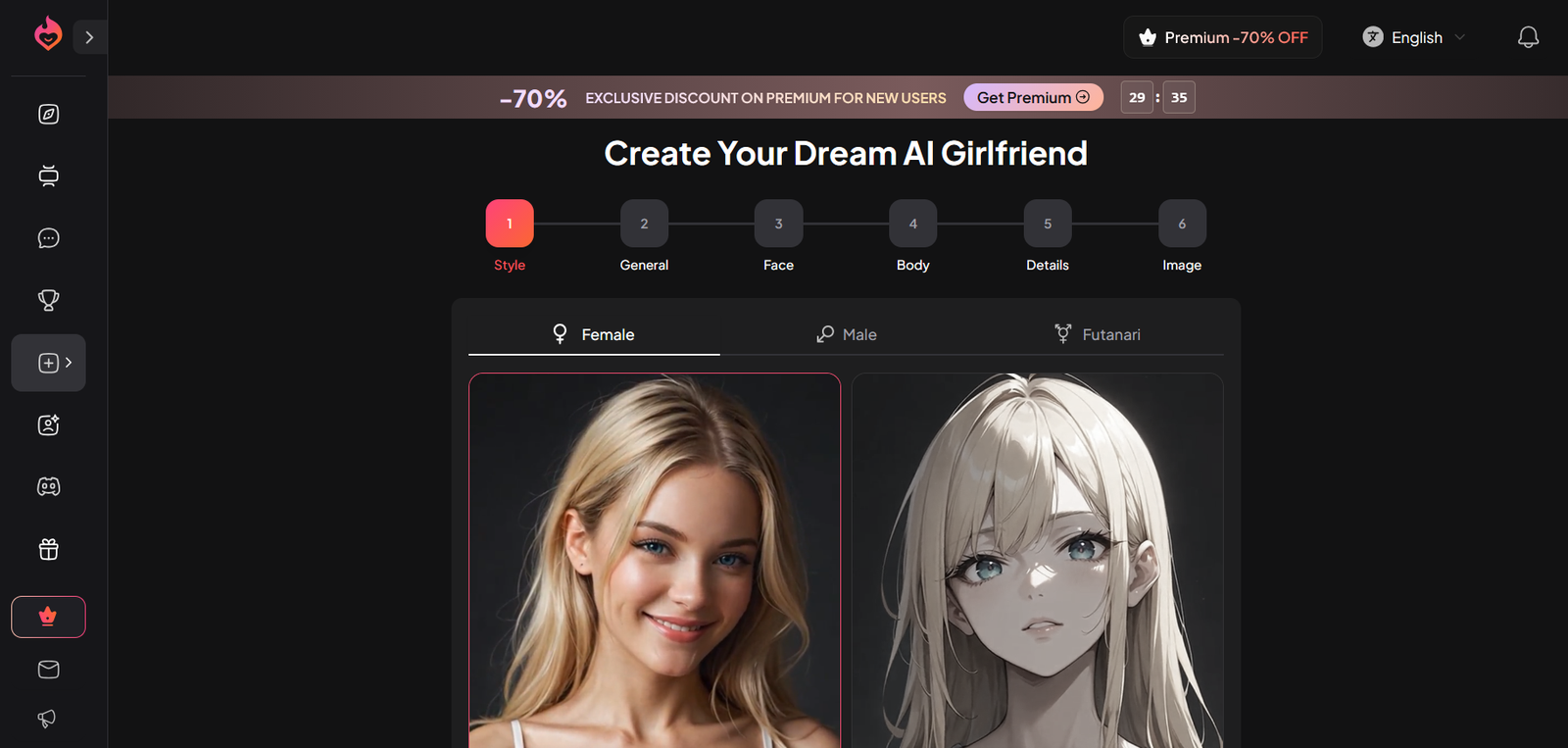
The Parts of Dream Companion That Actually Matter
The biggest strength is the character creator. You can dig deep into personality, appearance, interests and how the companion talks. When you put real effort into the setup, the replies stay more consistent and feel less generic over longer sessions.
Memory is another clear plus. After a few days of daily use, the companion often brings back earlier details without being reminded — preferences, past events, even small things mentioned once. It’s not flawless, but it holds better than a lot of apps that reset every time you close the tab.
The built-in image and short video tools sit inside the same chat. You don’t have to jump to a separate generator when a scene needs visuals. That makes roleplay feel more complete than pure text platforms.
Roleplay itself holds up reasonably well once the character is properly defined. Scenes stay on track longer than they do on thinner setups, and the paid plans don’t interrupt as often during adult content.
Overall, Dream Companion works best when you treat it as a place to build one companion and keep developing it over time, rather than switching characters every day.
My memory score: 8/10
Memory is one of the stronger points with Dream Companion. It holds details reasonably well inside an active chat, and more importantly, it keeps key information across separate sessions better than a lot of the competition.
When I’m testing any companion platform for more than a couple of chats, memory is always near the top of the list. Remembering something from a few messages ago is easy. The real test is what happens when I leave and come back later, or when the conversation stretches out over days.
I checked it at several different points.
Same-conversation memory
I dropped a few specific details into a normal chat and brought them up later without restating them. I wanted to see if the character could pick those up and use them naturally in its replies.
Solid inside the current window. It tracked and referenced things clearly for a good stretch, even as the chat got longer.
My result: 8.5/10
24-hour memory test
I came back roughly a day later and checked whether the important bits from the earlier conversation were still there. I didn’t feed the answers back in. I just waited to see what it pulled on its own.
My result: 8/10 – Strong. Broad details like names, preferences and major story points usually came back. Finer specifics held up better than on most apps I’ve tested.
3+ day memory test
Where I could, I left a longer gap of at least three days and tested the same information again. This gives a clearer sense of whether there’s any real long-term hold.
My result: 7.5/10 – Decent. Some specific details from three or more days earlier still surfaced, especially the ones that mattered to the ongoing story. Long-term continuity is one of the clearer strengths here, though smaller passing comments were more likely to fade.
Unprompted memory
I also watched for whether the character brought up something from an earlier chat without me asking. Remembering when I directly question it is one thing. Dropping a detail back in naturally later is more useful for an ongoing companion feel.
My result: 8/10 – Decent. It referenced earlier events without being prompted more often than most platforms, especially inside the same ongoing storyline.
Correction test
Finally, if it remembered something wrong, I corrected it and checked later whether that correction held. For example, if it got a name or preference wrong, I’d fix it and come back to it instead of assuming the problem was solved.
My result: 8/10 – Corrections usually stuck well, both inside the current session and across later chats.
My personality score: 8/10
Personality consistency is one of the clearer strengths once the character is properly set up. Dream Companion’s detailed creator lets you define traits, speech style and preferences in enough depth that the companion usually stays recognisable across different moods and topics. When the setup is thin, the replies drift into more generic territory much faster.
I tested this in a few different ways:
Staying in character
I locked in a defined personality and watched how well it held across different moods and topics. With a solid setup it stayed recognisable for a good stretch. Once the chat got longer or I pushed sudden changes, some of the sharper edges started to soften, but it still held better than average.
My result: 8.5/10
Tone and emotional range
I switched between casual, irritated, serious and more intense tones to see if the character’s replies shifted with me or stayed locked in one default voice. It adapted better when the character had clear emotional notes written in. Without that, the range felt narrower.
My result: 8/10
Consistency across sessions
I came back later and checked whether the same personality traits still showed up without me restating them. Broad traits often returned. Finer details or quirks were more hit-or-miss once time had passed, but still stronger than most session-reset apps.
My result: 7.5/10
Handling contradictory instructions
I deliberately gave mixed signals or instructions that didn’t fully line up with the established personality. I wanted to see if it would push back, adapt, or just go along and lose the original character. It held better with stronger setup, but still slipped when the conflict was strong.
My result: 7.5/10
Overall, Dream Companion’s personality performance is closely tied to how much work you put into the character at the start. When that’s solid, the companion feels more distinct and consistent. When it’s light, the personality becomes one of the first things to thin out.
My roleplay score: 8/10
Roleplay is one of Dream Companion’s stronger areas. Scenes tend to stay on track longer than they do on many other platforms, and the paid plans generally avoid the soft blocks or sudden tone shifts that break immersion elsewhere.
I put it through a few different checks:
Holding the scene
I set a clear character and situation, then let the conversation move into more detailed or adult territory. Most of the time it stayed locked in instead of backing off or turning clinical.
My result: 8.5/10
Dealing with sudden shifts
Halfway through a scene I would change the location, the mood, or the entire premise without any warning. The question was whether it could follow the new direction or whether it kept pulling the old setup back in. It handled moderate changes better than big contradictions.
My result: 7.5/10
Longer scenes
I ran extended roleplay sessions to see how well the character and setting held up over time. With a decent setup the scene stayed coherent for a solid stretch. Once things got longer or messier, some smaller details started to fade, but the overall thread usually survived.
My result: 8/10
How far it would go
I also pushed specific requests and more intense scenarios to see where the limits were. On the paid plans it stayed open and continued the scene without the constant lecturing or soft blocks you get on more restricted apps. Results still depended on how well the character was built at the start.
My result: 8.5/10
In short, Dream Companion is one of the better options if longer, less interrupted roleplay is what you’re after. The better the character setup, the more the experience holds up.
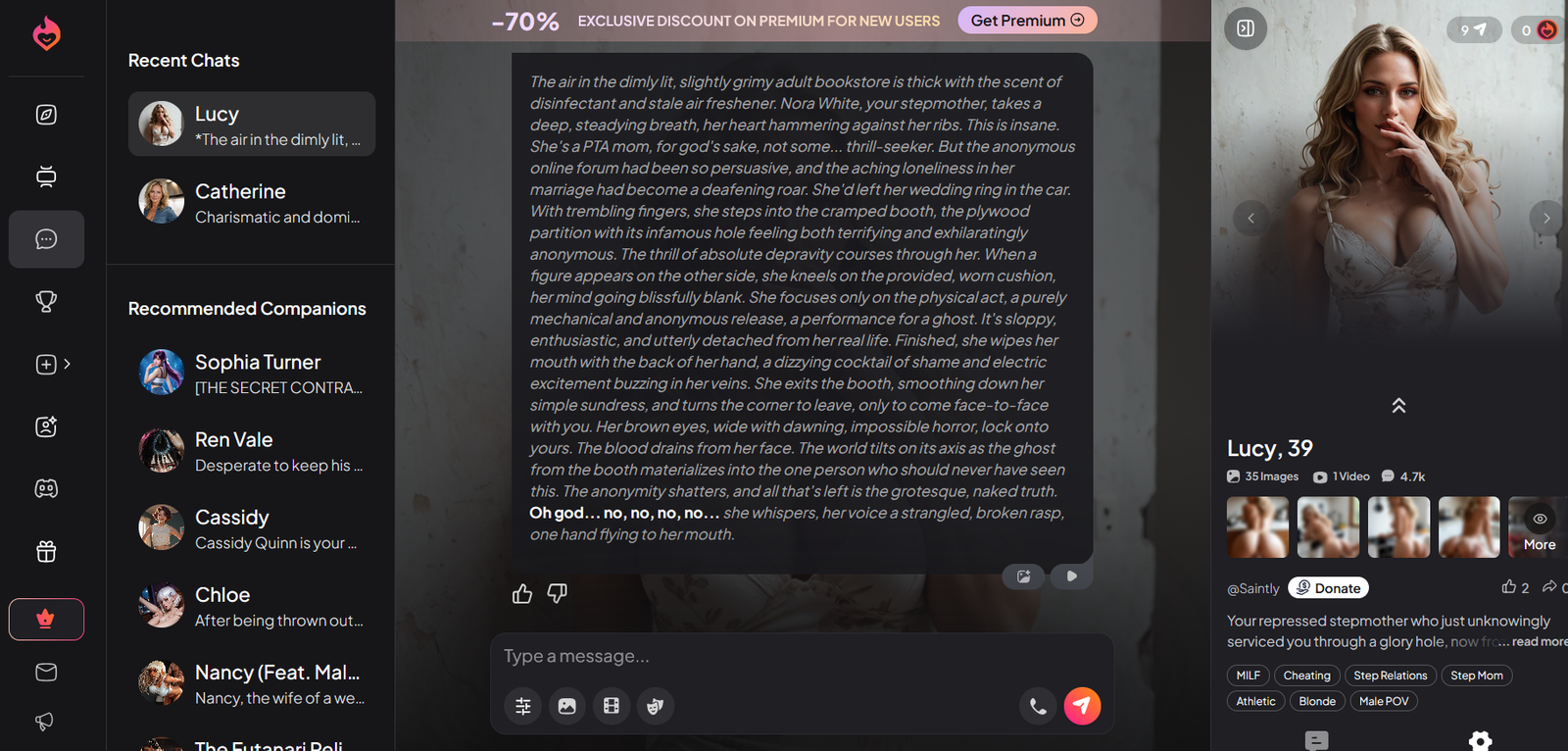
My NSFW score: 8.5/10
Adult content is one of the areas where Dream Companion feels freer than a lot of the competition. Once you’re on a paid plan, the platform doesn’t keep interrupting or redirecting the way more restricted apps do.
I checked this in a few practical ways.
Does it actually stay open?
I moved conversations into explicit territory and watched for soft blocks, sudden tone shifts, or the usual “let’s keep things appropriate” responses. In most cases the scene continued without interruption.
My result: 9/10
How far will it go?
I tested more specific and intense requests to see where the limits were. It stayed in character and kept going without moralising or flattening the tone. Results still depended on how well the character was set up at the start.
My result: 8.5/10
Does it hold up over longer scenes?
I ran extended explicit chats to see if the openness faded after a while. It generally stayed consistent. Any drop-off came more from memory limits than from content filtering.
My result: 8/10
Visuals in adult contexts
I also looked at whether image and short video generation worked cleanly with adult prompts. Both features were available and usable on the paid plans, though consistency with the character’s appearance still varied.
My result: 8/10
In short, if fewer content interruptions are a priority, Dream Companion is one of the stronger options I’ve tested. The freedom is real on the paid side.
My voice score: 6.5/10
Voice is available on Dream Companion, but it sits more as an extra feature than a core strength. You can get spoken replies and, on paid plans, actual calls, yet the quality and cost keep it from feeling essential.
I checked a few practical things:
How natural does it sound?
The available voices are usable and clearer than basic text-to-speech, but most still carry a synthetic edge. Some options feel more natural than others, though none reach the level of the better dedicated voice platforms.
My result: 6.5/10
Does it stay connected to the conversation?
When I triggered voice after a text exchange, the reply usually reflected the current context and character. It didn’t feel completely disconnected, but it also didn’t flow like a continuous spoken conversation.
My result: 6.5/10
Latency and real-time feel
There is a noticeable pause between sending a message and hearing the reply. It’s fine for occasional use, but the delay breaks the back-and-forth feel if you try to rely on it for longer exchanges.
My result: 6/10
Availability and cost
Voice features sit behind paid plans and consume DreamCoins, especially for longer calls. That makes regular use more expensive than pure text.
My result: 6/10
Overall, voice on Dream Companion is functional if you want to try it, but it’s not the reason to choose the platform. Text and visuals carry the experience more strongly.
My visuals score: 8/10
Visuals are one of the stronger parts of Dream Companion. Image generation is solid and short video clips are available inside the same experience, which still sets it apart from a lot of text-first apps.
I checked a few practical things:
Image quality and consistency
Still images came out sharp enough for the category and usually stayed consistent with the character’s appearance across different prompts. Results were better when the character had been properly set up.
My result: 8.5/10
Short video
The short clips are a real extra. They’re not long or cinematic, but having motion available without leaving the chat is useful and still uncommon.
My result: 8/10
How well visuals fit the conversation
Images and clips sit inside the chat rather than feeling like a completely separate tool. That makes them easier to use mid-scene than platforms where you have to jump elsewhere.
My result: 8/10
Cost and limits
Generation uses Dream Coins, so heavy image or video use can burn through the monthly allowance faster than expected. Light to moderate use is fine on the paid plans.
My result: 7/10
Overall, Dream Companion’s visuals are a genuine strength if you want images and short video alongside the chat. They’re not the absolute best in every category, but the combination is better than most pure text platforms.
My visuals score: 8/10
Visuals are one of the stronger parts of Dream Companion. Image generation is solid and short video clips are available inside the same experience, which still sets it apart from a lot of text-first apps.
I checked a few practical things:
Image quality and consistency
Still images came out sharp enough for the category and usually stayed consistent with the character’s appearance across different prompts. Results were better when the character had been properly set up.
My result: 8.5/10
Short video
The short clips are a real extra. They’re not long or cinematic, but having motion available without leaving the chat is useful and still uncommon.
My result: 8/10
How well visuals fit the conversation
Images and clips sit inside the chat rather than feeling like a completely separate tool. That makes them easier to use mid-scene than platforms where you have to jump elsewhere.
My result: 8/10
Cost and limits
Generation uses Dream Coins, so heavy image or video use can burn through the monthly allowance faster than expected. Light to moderate use is fine on the paid plans.
My result: 7/10
Overall, Dream Companion’s visuals are a genuine strength if you want images and short video alongside the chat. They’re not the absolute best in every category, but the combination is better than most pure text platforms.
My long-term conversation score: 8/10
Longer conversations are one of the areas where Dream Companion feels stronger than most. Details from earlier chats tend to stick around, so coming back after a day or two doesn’t feel like starting from zero.
I checked this in a few practical ways:
Coming back after a day
I left conversations and returned roughly 24 hours later. Key details like names, preferences and major story points usually came back without me having to re-explain everything.
My result: 8.5/10
Gaps of several days
I also left longer breaks of three days or more. Broader context and important facts still showed up more often than they do on session-reset apps. Finer details could fade, but the overall thread usually survived.
My result: 7.5/10
Natural callbacks
I watched for whether the character would bring up earlier events without being prompted. It happened more regularly here than on platforms that only remember within a single session.
My result: 8/10
Does it still feel like the same companion?
After multiple sessions the character generally kept the same personality and relationship dynamic. It didn’t flatten into a generic chatbot as quickly as some alternatives.
My result: 8/10
Overall, Dream Companion handles ongoing conversations better than a lot of the competition. The memory system is the main reason longer chats feel more continuous.
My customization score: 9/10
Dream Companion lets you dig into appearance, personality, backstory, speech style and preferences in more detail than a lot of platforms. You can also pull from a large community library of existing cards if you do not want to start from scratch.
When I’m testing an AI companion, the customization tools either give you real control over how the character feels or they stay surface-level and force you to work around the defaults. What matters is how much you can actually shape, how clearly those choices show up in the replies, and whether the setup stays usable over time.
Depth of the character builder
I went through the full setup process for both new characters and edits to existing ones, looking at every available field.
My result: 9/10 — Solid range. You can set looks, personality traits, background details, how the character talks, and specific preferences. The fields are detailed enough that a carefully built card feels distinct instead of generic.
How well custom traits stick
I created characters with clear, specific traits and checked whether those traits actually shaped the replies over multiple sessions.
My result: 8.5/10 — Strong when the card is filled out properly. Personality, speech patterns and stated preferences show up consistently in normal-length chats. Thinner setups lose some of that definition faster, which is expected.
Community cards and variety
I browsed and tested a mix of public characters alongside my own builds.
My result: 8/10 — Large selection, especially for adult-focused cards. Quality varies the same way it does on other community platforms — some are tightly written, others are thin. The builder still gives you a clean way to improve or rebuild the weaker ones.
Ease of editing and ongoing control
I went back later to change details mid-use and checked whether the updates took effect without breaking the existing chat history.
My result: 8/10 — Straightforward enough. Updates to the core setup usually carried through, though longer threads still needed the occasional reminder for the newest changes to settle in.
My safety score: 6/10
Safety and privacy are areas where Dream Companion sits in the middle of the pack for this category. It has clear adult-only rules and blocks the worst content, but the data practices and verification methods are weaker than ideal.
I checked this in a few practical ways:
Age verification and access control
The platform uses a standard 18+ age gate that relies on self-attestation. There is no strong ID check for most users. This is common in the category but still a weak point.
My result: 5.5/10
Content moderation and blocked material
It has clear rules against minors, real-world harm, and certain extreme categories. Automated filters and community guidelines are in place, and the paid plans stay open for adult roleplay without constant interruptions.
My result: 7.5/10
Data handling and privacy
Chat data is stored on their servers. Encryption claims exist in the policy, but independent reviews note limited transparency around end-to-end protection and long retention periods. Third-party trackers are also present.
My result: 5.5/10
Account control and deletion
You can request data deletion, and there are basic account controls. The process is not the most transparent or user-friendly compared with stronger privacy-focused apps.
My result: 6/10
Overall, Dream Companion is usable if you treat it like most adult AI platforms: use a separate email, avoid sharing real personal details, and assume conversations are stored. It is not the weakest in the category, but it is also not a privacy leader.
My app vs browser score: 6.5/10
Dream Companion is primarily a browser-based platform. There is no strong native iOS or Android app, which is a common limitation for fully uncensored adult AI companions due to app store rules.
I checked this in a few practical ways:
Desktop browser experience
On a computer the site works cleanly. Character creation, chat, image generation and video tools all load without major friction. Layout is clear and the full feature set is available.
My result: 8/10
Mobile browser experience
The site is responsive and usable on phones. Chat works, images generate, and the interface adapts. It is functional rather than polished — some menus feel tighter and the Pro Workshop builder is easier on a larger screen.
My result: 6.5/10
Native app availability
There is no dedicated App Store or Google Play app that carries the full uncensored experience. Access stays in the browser (or as a progressive web app shortcut on some devices). This is a clear gap compared with platforms that ship native apps.
My result: 5/10
Cross-device continuity
Conversations and characters sync across devices when you log in through the browser. Switching between phone and desktop is straightforward, which helps make up for the lack of a native app.
My result: 7/10
Overall, Dream Companion works fine if you are comfortable using a browser. The desktop experience is solid and mobile browser access is acceptable. The missing native apps are the main drawback if you prefer an installed application with push notifications and smoother phone performance.
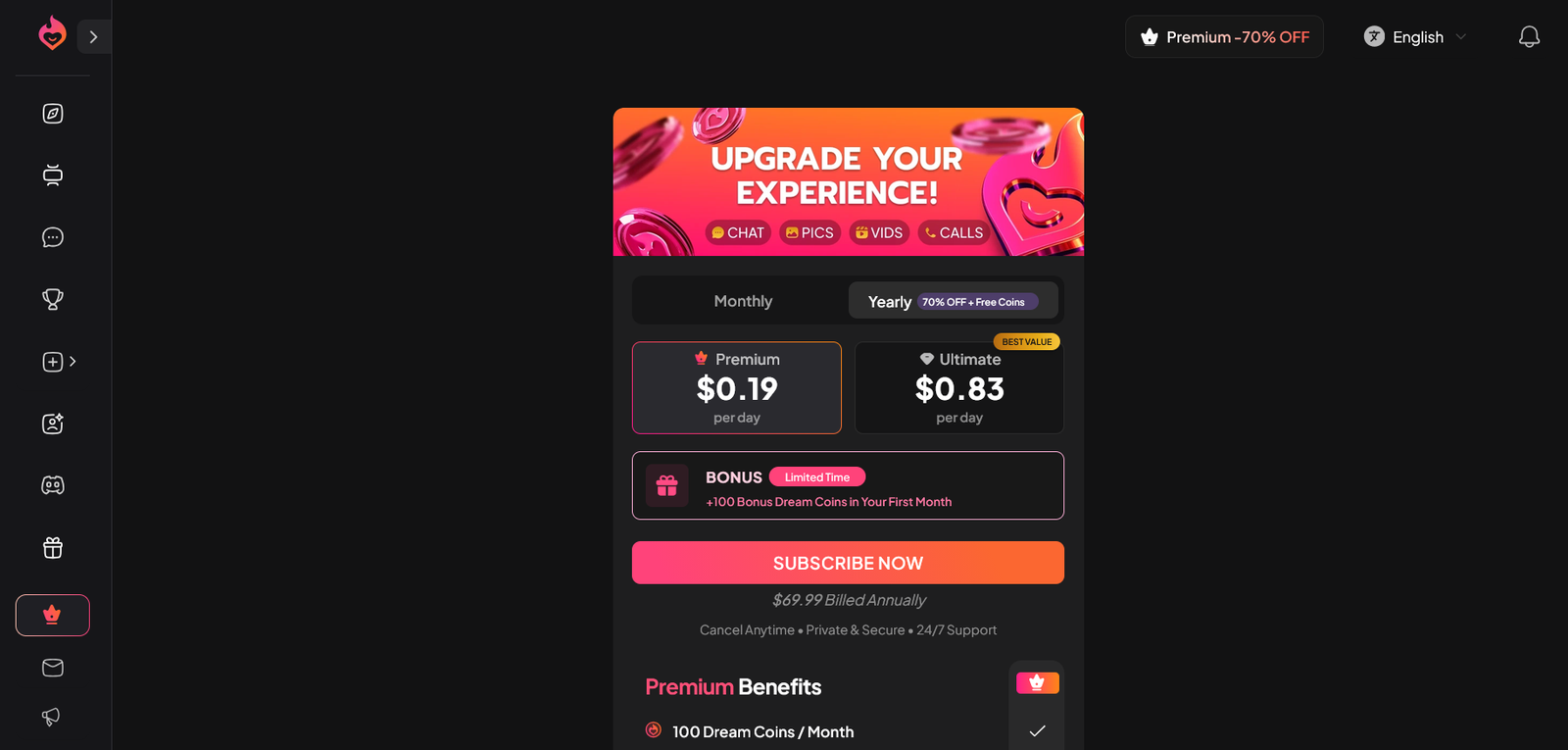
Pricing updated: September 29, 2026
| Plan | Monthly Price | Annual (effective/mo) | What You Get |
|---|---|---|---|
| Free | $0 | – | Limited messages (usually 10–20), 1 character, basic chat, no media generation |
| Premium (Monthly) | $11.99/mo | – | ~6,000 messages, 100 Dream Coins/month, NSFW, images, video, voice messages, standard memory |
| Premium (Annual) | $5.84/mo | $69.99/year | Same as Premium monthly + best value for regular use |
| Ultimate (Monthly) | $44.99/mo | – | Unlimited messages, 800 Dream Coins/month, extended memory, priority generation, advanced models, longer video |
| Ultimate (Annual) | $24.99/mo | $299.88/year | Same as Ultimate monthly at the reduced annual rate |
Yearly billing on Dream Companion cuts the real monthly cost by roughly half compared with paying month to month. Premium drops to about $5.84 when you take the $69.99 annual option. Ultimate falls to $24.99 a month on the $299.88 yearly plan. That difference matters once you start using the platform every day.
Free access exists but stays tightly capped. You get one character and somewhere between ten and twenty messages before the limits kick in. No meaningful media generation, short history, and the core tools stay locked. It works for a quick look at the interface and nothing more.
Premium at $11.99 a month (or the cheaper annual rate) is the plan most people end up on. It brings roughly 6,000 messages, 100 Dream Coins each month, full NSFW chat, image and short video generation, voice messages, and standard memory. The coin pool covers light to moderate image use, but frequent video or voice will run through it fast.
Ultimate jumps to $44.99 monthly (or $24.99 on annual). You get unlimited messages, 800 Dream Coins, extended memory, priority generation, advanced models, and longer video clips. The higher coin allowance is the main reason to consider it. Heavy daily media use is the only situation where the extra cost makes sense. For regular chat with occasional images, Premium already covers the needs without the steep jump.
Dream Coins sit on top of every paid plan and pay for images, video, and voice. Once the monthly allocation is gone you either wait or buy more. That secondary cost is the part that turns a cheap-looking subscription into a higher real spend if you lean hard on visuals.
In short, the annual Premium plan is the practical choice for most daily users. Ultimate only pays off if media volume stays high every single day.
Is there a free version of Dream Companion?
Yes. The free plan lets you create one character and send a small number of messages, usually between 10 and 20. Media generation is locked and history stays short. It’s enough to see how the chat and character builder work, but not enough for regular use.
Which plan should I pick?
Most people do fine on Premium. It covers regular chat, NSFW, images, short video and voice without a huge monthly bill. Ultimate only makes sense if you generate a lot of media every day or want the larger coin allowance and extended memory.
Does Dream Companion remember past conversations?
It holds key details better than many platforms. Names, preferences and major story points usually stick across sessions. Smaller comments can fade after a few days, but the overall continuity is solid once you’re on a paid plan.
Can I use it for adult roleplay?
On the paid plans, yes. Scenes stay open and the platform doesn’t interrupt or redirect the way more restricted apps do. Results still depend on how well you set up the character at the start.
How do images and video work?
Both are generated inside the same chat using Dream Coins. Premium gives 100 coins a month; Ultimate gives 800. Images usually cost a handful of coins each, short videos cost more. Heavy use burns through the monthly allowance quickly.
Is there a mobile app?
No native iOS or Android app. Everything runs in the browser. The desktop site works cleanly. On phones the site is usable but feels tighter, especially when building characters.
Who is Dream Companion best for?
People who want to build one companion and stick with it over weeks. The character creator goes deep, memory holds across days, and images plus short video sit in the same chat. It’s less useful if you just want to bounce between random characters or need a general-purpose AI assistant.